- +971 56 918 6895
- sales@globaltechuae.com
- Salah Al Din Road, Deira, Dubai-UAE

128GB RAM Laptop: Professional Power for 2026 Workloads

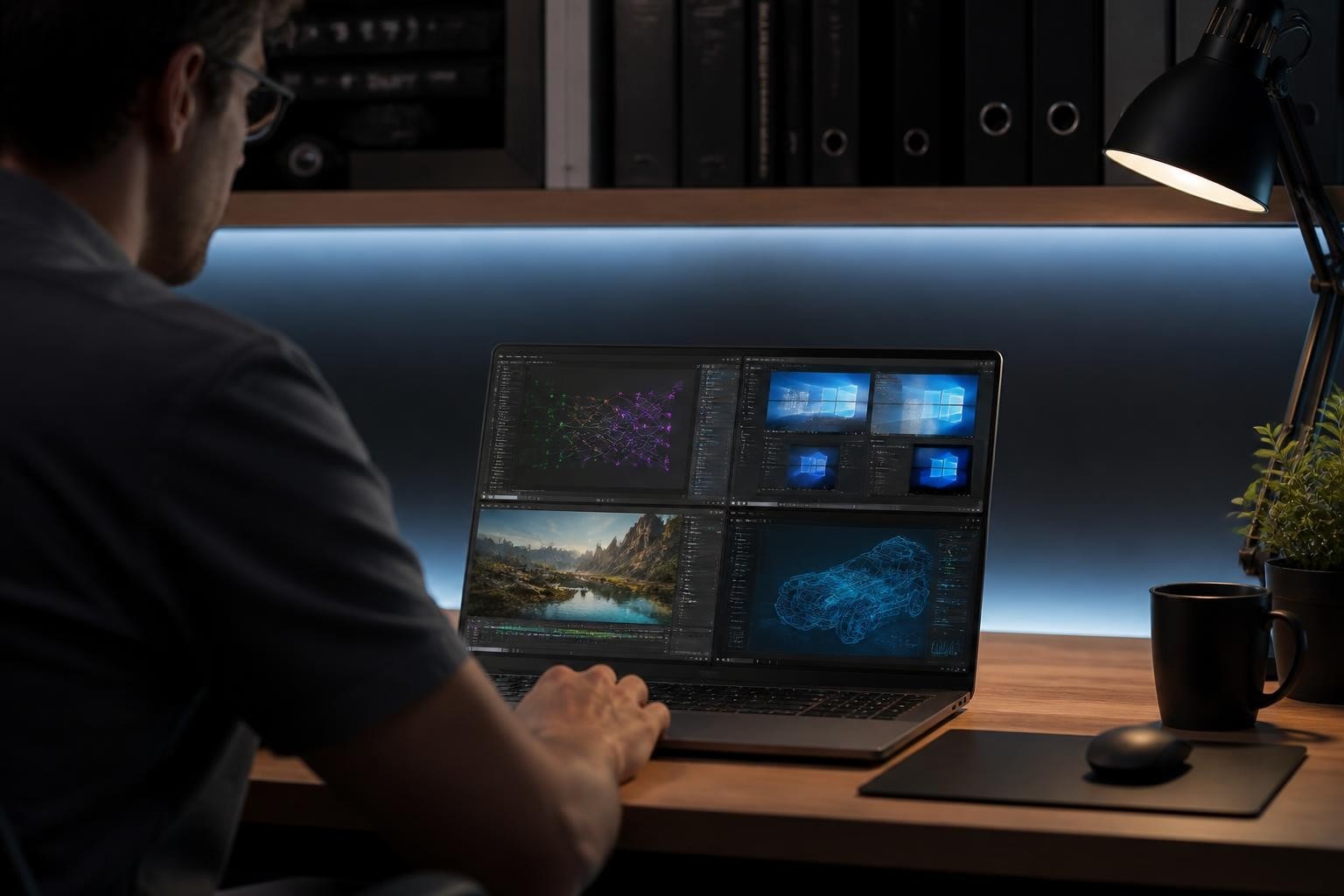
The computing landscape has transformed dramatically as professional workloads demand unprecedented levels of memory capacity. A ram 128gb laptop represents the pinnacle of mobile computing power, designed specifically for users whose workflows extend far beyond conventional productivity tasks. These machines cater to AI developers, data scientists, video editors working with uncompressed 8K footage, and IT professionals managing complex virtualization environments. While such capacity might seem excessive for typical users, specific professional scenarios absolutely justify this investment, particularly in enterprise environments across Africa and the UAE where productivity cannot be compromised.
Understanding the Need for Extreme Memory Capacity
Modern professional applications have evolved to leverage every gigabyte of available system memory. The question isn't simply whether you need this much RAM, but rather whether your specific workflows will benefit from it.
Professional Workloads That Justify 128GB
Content Creation and Media Production stands as one of the most memory-hungry categories. Working with uncompressed 8K video editing requires substantial RAM to maintain smooth playback and rapid rendering times. Color grading professionals often work with multiple 4K or 8K streams simultaneously, each consuming significant memory resources.
Artificial Intelligence and Machine Learning tasks have become increasingly common in business environments. Local AI model training, neural network development, and running large language models demand exceptional memory bandwidth and capacity. The Microsoft Surface Laptop Ultra, announced at Computex 2026, specifically targets this market with its 128GB of unified LPDDR5X memory paired with NVIDIA’s RTX Spark Superchip.
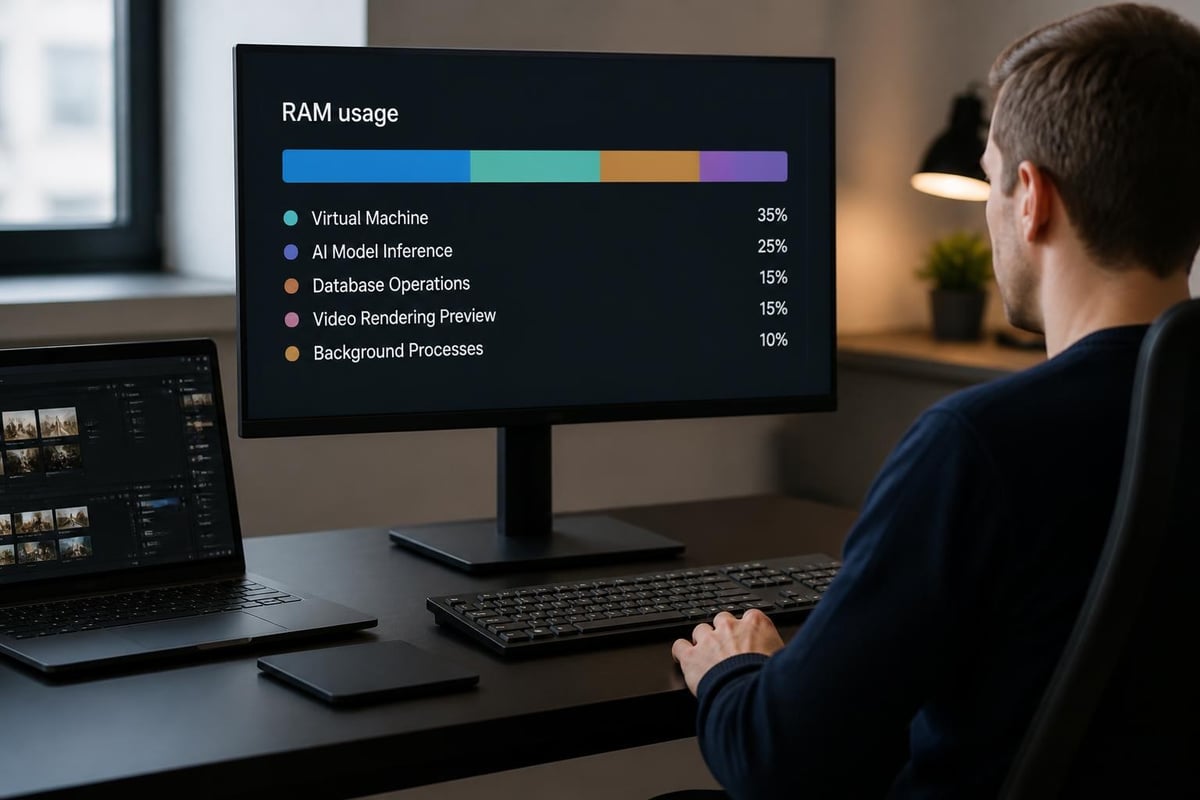
Development and Virtualization environments benefit tremendously from expanded memory. Running multiple virtual machines simultaneously-perhaps testing software across different operating systems or managing containerized development environments-quickly consumes available resources. DevOps professionals and software architects find these configurations particularly valuable.
Memory-Intensive Applications by Industry
| Industry Sector | Primary Applications | Typical Memory Usage |
|---|---|---|
| Media Production | DaVinci Resolve, Adobe Premiere Pro | 64-96GB active projects |
| Software Development | Docker containers, VMs, IDEs | 48-80GB multi-environment |
| Data Science | Jupyter, TensorFlow, large datasets | 72-120GB model training |
| 3D Design | Blender, Maya, Cinema 4D | 56-88GB complex scenes |
| Architecture | AutoCAD, Revit, photorealistic rendering | 64-100GB detailed models |
The ram 128gb laptop market continues expanding as these professional applications grow more sophisticated and demanding.
Technical Specifications and Considerations
Selecting a ram 128gb laptop involves understanding several critical technical factors beyond just the memory capacity itself.
Memory Configuration and Architecture
Dual-Channel vs. Quad-Channel implementations significantly impact performance. Most consumer laptops utilize dual-channel configurations, while workstation-class machines may offer quad-channel support for enhanced bandwidth. When evaluating 128GB RAM laptops, memory bandwidth becomes crucial for maintaining system responsiveness under heavy workloads.
Memory speed specifications matter considerably:
- DDR4-3200: Standard configuration for many 2024-2025 models
- DDR5-4800: Newer baseline for current generation systems
- DDR5-5600: High-performance option for 2026 releases
- LPDDR5X-6400: Premium mobile implementations with unified memory
ECC (Error-Correcting Code) Support becomes relevant for mission-critical applications where data integrity cannot be compromised. Scientific computing, financial modeling, and database management benefit from ECC memory's ability to detect and correct single-bit errors automatically.
Processor and GPU Pairing
A ram 128gb laptop requires appropriate processor and graphics capabilities to utilize that memory effectively. Intel's Core i9 and Xeon processors, AMD's Ryzen 9 and Threadripper lines, and Apple's M-series chips with unified memory architecture all support these configurations.
Graphics Processing Considerations are equally important. Professional NVIDIA RTX or AMD Radeon Pro GPUs with substantial dedicated VRAM complement system memory for rendering and computational tasks. The NVIDIA RTX Spark platform integration represents the latest evolution in unified computing architectures.
Storage subsystems must match memory performance. NVMe Gen 4 or Gen 5 solid-state drives prevent storage bottlenecks when working with large datasets that exceed even 128GB of RAM capacity.
Real-World Performance Benefits
Understanding theoretical specifications differs significantly from experiencing practical performance improvements in daily workflows.
Multitasking and Workflow Efficiency
Professional users rarely run single applications in isolation. A typical workflow might include:
- Primary application (video editor, 3D renderer, or IDE)
- Reference materials (browsers with dozens of tabs, documentation)
- Communication tools (Slack, Teams, email clients)
- Background services (cloud sync, security software, system monitoring)
- Secondary creative tools (image editors, audio applications)
Each component consumes memory. With adequate capacity, the operating system never needs to swap data to storage, maintaining consistent responsiveness across all applications simultaneously.
Data Processing and Analysis
Large Dataset Handling transforms when working with 128GB capacity. Data scientists loading entire databases into memory for analysis eliminate repeated disk access delays. Financial analysts running complex Monte Carlo simulations across massive datasets experience dramatically reduced computation times.
Rendering and Compilation tasks benefit from keeping entire projects in active memory. 3D artists rendering complex scenes avoid texture swapping. Software developers compiling large codebases see significant time savings when source files, dependencies, and build artifacts remain memory-resident.
Gaming and Entertainment Considerations
While professional applications drive the ram 128gb laptop market, gaming enthusiasts often wonder about benefits for their use cases.
Current Gaming Requirements
Most modern games in 2026 recommend 16-32GB of system memory. Even the most demanding AAA titles with ultra-quality texture packs rarely exceed 48GB combined requirements including operating system overhead. For gaming-focused configurations, 128GB represents significant overkill for game execution alone.
Streaming and Content Creation changes this equation. Gamers who simultaneously stream, record gameplay at high resolutions, run Discord, manage chat overlays, and monitor analytics see legitimate benefits from expanded memory capacity.
Future-Proofing Considerations
| Aspect | 32GB System | 64GB System | 128GB System |
|---|---|---|---|
| Current AAA gaming | Excellent | Excellent | Excellent |
| Gaming + streaming | Good | Excellent | Excellent |
| Game development | Limited | Good | Excellent |
| Modding communities | Good | Excellent | Excellent |
| 5+ year longevity | Adequate | Strong | Maximum |
The ram 128gb laptop provides maximum future-proofing, though whether this justifies the premium cost depends entirely on individual usage patterns and professional requirements.
Selection Criteria and Best Practices
Choosing the right high-capacity laptop requires careful evaluation beyond memory specifications alone.
Upgradeability and Expansion
Factory Configuration vs. User Upgrades presents an important decision point. Some manufacturers offer 128GB as a factory option but solder memory directly to the motherboard, preventing future upgrades. Others provide SO-DIMM slots allowing users to install or upgrade RAM modules.
When selecting 128GB RAM configurations, verify:
- Module accessibility without voiding warranty
- Maximum supported capacity for future expansion
- Memory slot configuration (4x32GB vs. 2x64GB impacts upgradeability)
- Manufacturer certification for specific module brands
Thermal Management and Power Delivery
High-capacity memory configurations generate additional heat and consume more power than standard configurations. Premium laptops designed for these specifications include:
- Enhanced cooling systems with larger heat pipes and improved airflow
- Higher-capacity power adapters (typically 180W-280W for workstation laptops)
- Advanced power management to balance performance with battery longevity
- Thermal monitoring software providing real-time temperature tracking
Battery life inevitably suffers with maximum-capacity configurations. Expect 2-4 hours of intensive work compared to 6-8 hours with lighter configurations.
Decision tree for determining appropriate memory configuration: mapping workflow types, application requirements, concurrent task counts, and budget considerations to recommended RAM capacities from 16GB through 128GB
Industry-Specific Implementations
Different professional sectors utilize extreme memory capacity in distinct ways, making the ram 128gb laptop valuable across multiple industries.
Software Development and DevOps
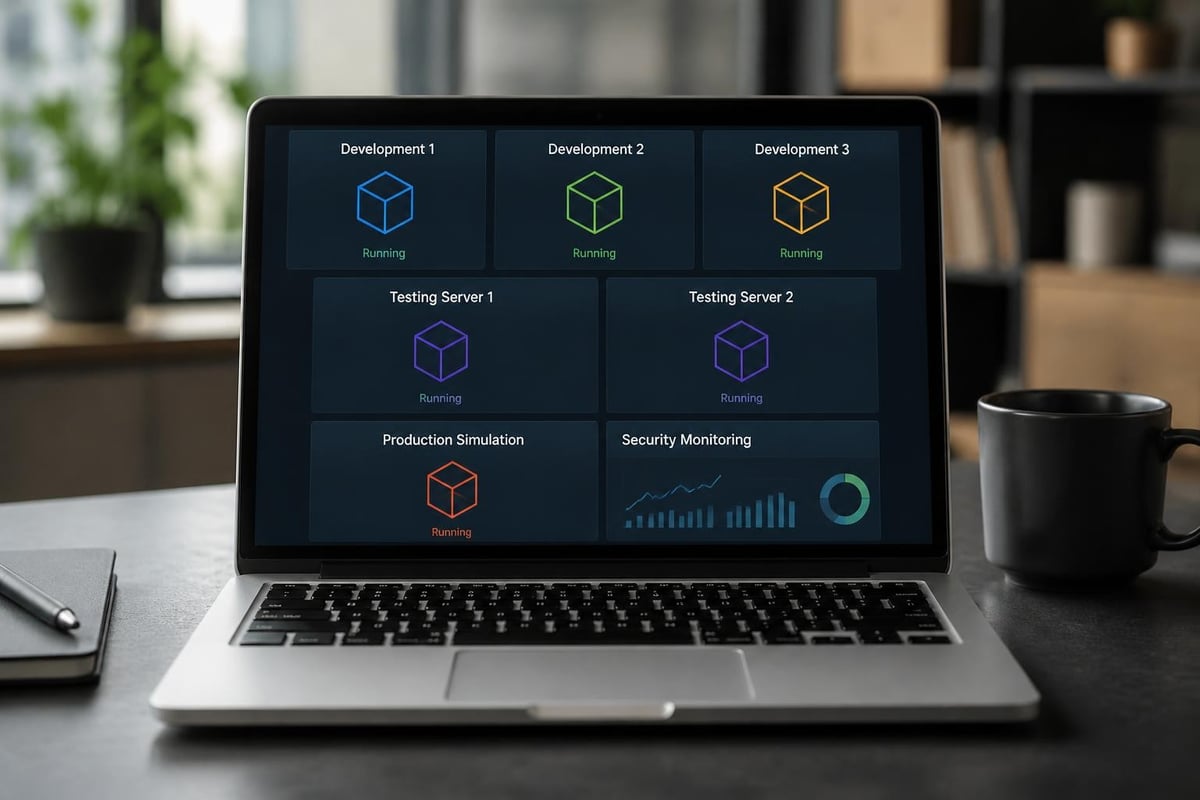
Container-Based Development has become standard practice. Running Docker or Kubernetes locally for testing microservices architectures, each container consuming 2-8GB, quickly accumulates. Development teams working on enterprise applications might simultaneously run:
- Database servers (PostgreSQL, MongoDB, Redis)
- Application servers (Node.js, Java, Python environments)
- Caching layers (Memcached, Redis clusters)
- Message queues (RabbitMQ, Apache Kafka)
- Monitoring tools (Prometheus, Grafana)
This creates development environments identical to production, improving code quality and reducing deployment issues.
Scientific Computing and Research
Computational Research across disciplines increasingly relies on local processing power. Bioinformatics researchers analyzing genomic sequences, climate scientists running atmospheric models, and physicists simulating particle interactions all benefit from keeping datasets memory-resident.
Academic Institutions across the UAE and Africa increasingly provision high-capacity laptops for research programs, enabling fieldwork without constant cloud connectivity requirements.
Creative Industries and Media Production
Post-Production Workflows in professional film and advertising demand exceptional resources. A typical high-end project might involve:
- Primary timeline with multiple 6K or 8K video layers
- Color grading nodes with real-time preview
- Visual effects compositing in Adobe After Effects or Nuke
- Audio mixing with hundreds of tracks and effects
- Motion graphics rendering simultaneously
Professional colorists working on feature films or high-budget commercials find that 128GB configurations reduce rendering penalties and maintain smooth playback even with complex grade stacks applied.
Cost-Benefit Analysis for Business Investment
Organizations considering ram 128gb laptop deployments must evaluate return on investment carefully.
Total Cost of Ownership
Initial Purchase Price for 128GB configurations typically ranges from $3,500 to $8,000 depending on additional specifications. This represents a significant premium over 32GB or 64GB alternatives.
However, productivity gains from eliminating memory bottlenecks can justify costs rapidly. Calculate potential savings from:
- Reduced rendering times (hours saved per project)
- Eliminated workflow interruptions (smooth multitasking)
- Extended hardware lifecycle (5-7 years vs. 3-4 years)
- Reduced cloud computing costs (local processing capability)
Professional Time Valuation becomes crucial. If a video editor earning $75/hour saves two hours per day through faster rendering and smoother playback, the productivity gain exceeds $30,000 annually-easily justifying the hardware investment.
Deployment Scenarios
| Use Case | Recommended Deployment | ROI Timeline |
|---|---|---|
| Data science team | 3-5 workstations | 8-14 months |
| Video production house | 2-4 editing stations | 6-12 months |
| Software development | 5-10 developer machines | 12-18 months |
| Architecture firm | 4-6 design workstations | 10-16 months |
| AI research lab | 2-3 dedicated systems | 6-10 months |
Alternatives and Complementary Solutions
While the ram 128gb laptop serves specific needs excellently, understanding alternative approaches provides context for decision-making.
Cloud Computing Integration
Hybrid Workflows combine local high-capacity machines with cloud resources for peak demands. Render farms, distributed computing clusters, and cloud-based AI training complement local development environments. This approach optimizes capital expenditure while maintaining flexibility.
Data Synchronization between local and cloud systems requires robust internet connectivity. Organizations in regions with limited bandwidth may find local processing more reliable than cloud-dependent workflows.
Desktop Workstation Alternatives
Traditional desktop workstations offer superior upgradeability, cooling capacity, and cost-effectiveness compared to laptops with equivalent specifications. Organizations should evaluate whether mobility truly justifies the laptop form factor for specific roles.
For employees requiring both portable and stationary computing, docking station configurations with external monitors, keyboards, and peripherals provide desktop-like experiences when needed while preserving mobility for field work or client meetings.
Determining Actual Requirements
Before committing to a ram 128gb laptop, assess whether such capacity genuinely matches your needs. Many users discovering that 64GB adequately serves their workflows while providing better value. Monitor current memory usage under typical workloads using built-in system tools. If sustained usage rarely exceeds 40-50GB, stepping down to 64GB likely makes financial sense.
Conversely, extreme gaming, professional video editing, and AI development represent legitimate use cases where the additional capacity provides measurable performance benefits and productivity improvements.
Procurement and Vendor Selection
Organizations sourcing high-capacity laptops for business deployment should evaluate vendors based on several criteria beyond hardware specifications.
Enterprise Support and Warranty
Business-Class Support becomes crucial for mission-critical hardware. Evaluate vendors offering:
- Next-business-day on-site service in your geographic region
- Extended warranty options (3-5 years with accidental damage protection)
- Direct enterprise support lines avoiding consumer-tier wait times
- Asset management integration for IT department tracking
Regional Availability and Logistics
Supply Chain Considerations particularly impact Africa and UAE markets. Verify vendor capabilities for:
- Local inventory availability reducing delivery times
- Customs and import handling for international shipments
- Local service centers for warranty repairs
- Replacement part availability within region
Payment Terms and Financing options facilitate larger deployments. Enterprise-focused suppliers typically offer net-30 or net-60 payment terms, leasing programs, and volume discounts for multiple-unit purchases.
Configuration Consistency
For organizational deployments, standardized configurations simplify IT management, software licensing, and technical support. Working with suppliers who maintain consistent SKUs and configurations over time reduces long-term administrative overhead.
When exploring available options through specialized IT product suppliers, request detailed specification sheets and compatibility documentation ensuring chosen configurations align precisely with software requirements and organizational standards.
Performance Optimization and Maintenance
Maximizing the value of a ram 128gb laptop investment requires proper configuration and ongoing maintenance practices.
Operating System Configuration
Memory Management Settings should be optimized for high-capacity configurations:
- Disable unnecessary background applications and services
- Configure page file settings appropriately (some professionals disable entirely)
- Adjust cache sizes for creative applications to utilize available memory
- Enable memory compression features in modern operating systems
Professional Software Optimization often includes memory-specific settings. Video editing applications allow users to specify RAM allocation for cache and preview generation. 3D rendering software includes options for scene pre-loading and texture caching that dramatically improve performance with adequate memory.
Monitoring and Diagnostics
Regular Performance Monitoring helps identify memory-related issues early:
- Track memory usage patterns under typical workloads
- Monitor for memory leaks in applications
- Verify no failed memory modules (run diagnostic utilities quarterly)
- Review system logs for memory-related errors
- Update firmware and drivers addressing memory compatibility
Professional Maintenance Schedules should include cleaning cooling systems, verifying thermal paste condition, and testing memory integrity to ensure sustained performance over the laptop's operational lifetime.
Professional users requiring exceptional computing power for AI development, complex virtualization, uncompressed video editing, or data-intensive applications will find that a ram 128gb laptop delivers measurable productivity improvements and workflow efficiency gains. Whether you're equipping a development team, creative studio, or research department across Africa or the UAE, selecting appropriate high-capacity configurations matched to specific professional requirements ensures maximum return on technology investments. Global Tronix Computer Trading LLC specializes in sourcing and supporting enterprise-grade IT solutions, providing expert guidance to help organizations identify the optimal hardware configurations for their unique operational demands.
