- +971 56 918 6895
- sales@globaltechuae.com
- Salah Al Din Road, Deira, Dubai-UAE

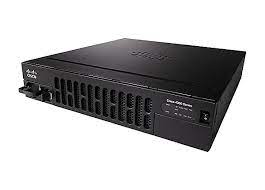
C1-CISCO4321/K9 – Cisco Router 4000 Series
| Brand | Cisco |
|---|
17
People watching this product now!
Description
C1-CISCO4321/K9 Overview
Cisco 4321 Integrated Services router is design to deliver advanced services to the small enterprise branch environment. It delivers 50Mbps thoughtput by default. With pay-as-you-grow performance, you can increase forwarding capacity to 100Mbps by buying FL-4320-PERF-K9 licenses. The C1-CISCO4321/K9 is the 4321 Cisco ONE Software Bundle.
Quick Spec
Figure 1 shows the appearance of C1-CISCO4321/K9.

Table 1 shows the quick spec.
| Product Number | C1-CISCO4321/K9 |
| Product Description | Cisco ONE ISR 4321 (2GE.2NIM.4G FLASH.4G DRAM.IPB) |
|
Aggregate Throughput |
50 Mbps to 100 Mbps |
|
Total onboard WAN or LAN 10/100/1000 ports |
2 |
|
RJ-45-based ports |
2 |
|
SFP-based ports |
1 |
|
NIM slots |
2 |
|
OIR (all I/O modules) |
Yes |
|
Onboard ISC slot |
1 |
|
Default flash memory |
4 GB |
|
Maximum flash memory |
8 GB |
Product Details
Figure 2 shows the LEDs on the front panel of the Cisco ISR4321/K9 for reference. C1-CISCO4321/K9 is similar with it.

There are eight LEDs on the front panel.
Table 2 shows the description of these LEDs.
|
LEDs |
Represents |
Color |
Description |
|
POE0 |
POE PSU |
Green |
PoE is on and providing power. |
|
Amber |
PoE is in a failed condition. |
||
|
Off |
PoE supply is not present. |
||
|
FLASH |
System Flash Status |
Blinking Green |
Compact flash/eUSB flash is present and currently being accessed. |
|
TEMP |
Temperature Status |
Solid green |
All temperature sensors in the system are within acceptable range. |
|
Amber |
One or more temperature sensors in the system are outside the acceptable range. |
||
|
Off |
Temperature is not being monitored. |
||
|
PWR |
System Power |
Green |
System power is on and functioning correctly. |
|
Green blinking |
System power is in the process of shutting down. |
||
|
Amber |
System power is up, but low level initialization failed. |
||
|
Amber blinking |
System power is up, but the system failed to come out of reset. |
||
|
Off |
System power is off. |
||
|
SSD |
mSATA Slot Status |
Green |
SSD mSATA is present and enabled. |
|
Amber |
Initialized with error. |
||
|
Off |
Not present. |
||
|
ISC |
ISC Slot Status |
Green |
PVDM4 is present and enabled. |
|
Amber |
Initialized with error. |
||
|
Off |
Not present. |
||
|
FAN |
Fan Status |
Green |
All fans are operating. |
|
Amber |
One fan has stopped working. |
||
|
Blinking Amber |
Two or more fans have stopped working, or the fan tray has been removed. |
||
|
Off |
Fans are not being monitored. |
||
|
STAT |
System Status |
Solid green |
System operating normally. |
|
Blinking amber |
BIOS/Rommon is booting. |
||
|
Amber |
BIOS/Rommon has completed booting, and system is at Rommon prompt or booting platform software. |
||
|
Off |
System is not out of reset or BIOS image is not loadable. |
You must be logged in to post a review.
Related products


TP-Link Layer 3 License Upgrade for T2700G-28TQ | T2700G-28TQ-L1000
In stock
د.إ 1,770.20
SKU:
GTC15000580

D-Link 100Base-TX to 100Base-FX multi-mode Fiber (SC) Media Converter | DMC-300MSC
In stock
د.إ 236.25
SKU:
GTC15000498

Reviews
There are no reviews yet.