- +971 56 918 6895
- sales@globaltechuae.com
- Salah Al Din Road, Deira, Dubai-UAE

Affordable SSD Laptops: Performance on a Budget in 2026


Finding a cheap laptop with SSD has become significantly easier in 2026 as manufacturers continue to prioritize solid-state storage even in entry-level models. The technology that once commanded premium pricing has now trickled down to budget-friendly devices, making fast, reliable storage accessible to students, small businesses, and home users across Africa and the UAE. Understanding what makes an SSD-equipped laptop a smart investment and knowing which specifications to prioritize can help you secure exceptional value without compromising on daily performance needs.
Why SSD Technology Matters in Budget Laptops
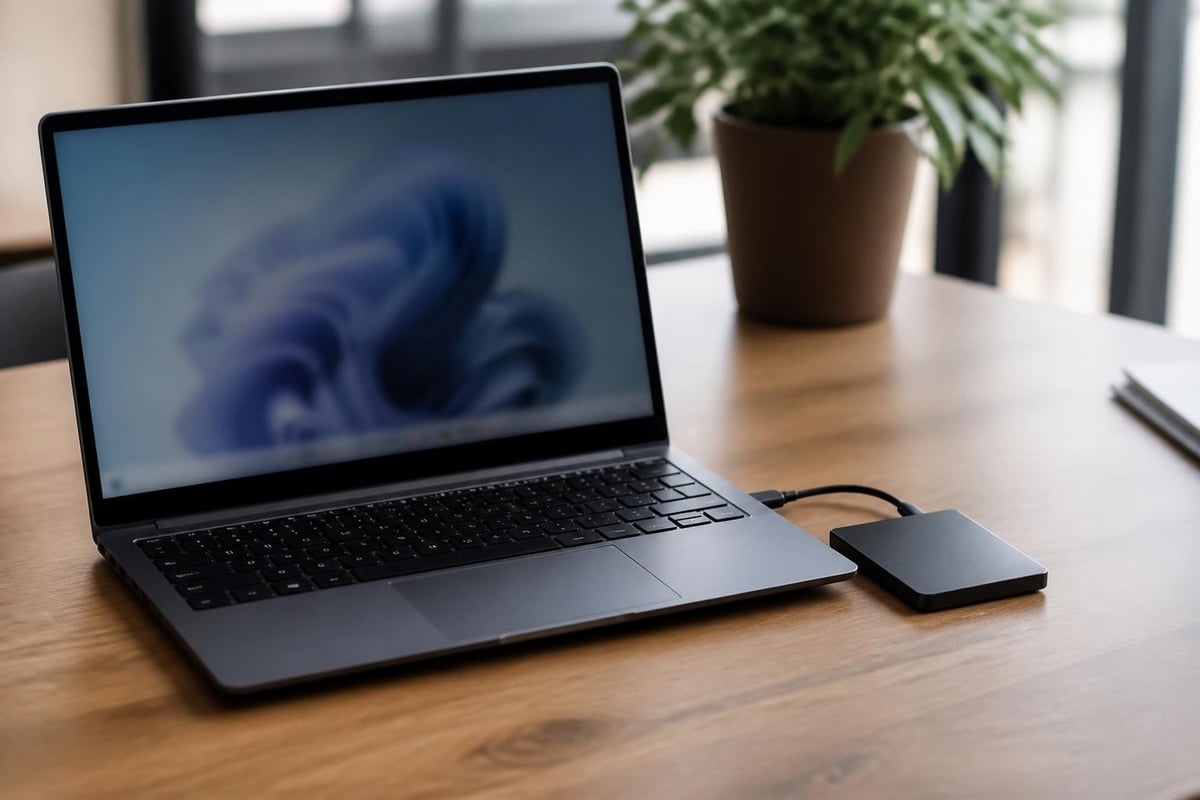
The shift from traditional hard disk drives (HDDs) to solid-state drives represents one of the most significant performance upgrades available in modern computing. When you purchase a cheap laptop with SSD, you're investing in a fundamentally different storage technology that eliminates moving parts and relies on flash memory chips to store data.
Performance Benefits That Transform Daily Use
SSDs deliver measurable improvements that impact every computing task. Boot times shrink from minutes to seconds, applications launch almost instantaneously, and file transfers complete at speeds that would be impossible with traditional spinning drives. These seven key advantages of SSDs include enhanced durability, lower power consumption, and silent operation.
Key performance metrics where SSDs excel:
- Boot time reduction of 50-70% compared to HDDs
- Application launch speeds 3-5 times faster
- File transfer rates reaching 500 MB/s or higher
- System responsiveness during multitasking scenarios
- Energy efficiency extending battery life by 30-45 minutes
The elimination of mechanical components means your cheap laptop with SSD can withstand bumps and movement without risking data corruption or drive failure. This durability proves particularly valuable for mobile workers, field sales teams, and students who transport their devices regularly.
Essential Specifications for Budget SSD Laptops
Not all budget laptops with SSDs offer equal value. Understanding the hierarchy of specifications helps you identify which compromises make sense and which features deserve priority in your purchasing decision.
Storage Capacity Considerations
| Capacity | Best For | Typical Price Range | Limitations |
|---|---|---|---|
| 128GB | Light web browsing, cloud-heavy workflows | $250-$350 | Requires aggressive file management |
| 256GB | Standard productivity, moderate media storage | $350-$500 | Balanced for most users |
| 512GB | Content creation, local media libraries | $500-$700 | Ideal for long-term use |
| 1TB | Professional workflows, gaming | $700-$900 | Premium tier for budget category |
A 256GB SSD configuration strikes the optimal balance for most business and personal computing needs. This capacity accommodates the operating system, essential applications, and several months of documents and media files without constant storage anxiety. Users who work primarily with cloud storage services or external drives can consider 128GB models to reduce costs.
Processor and Memory Pairing
The processor selection significantly impacts overall system responsiveness when paired with SSD storage. Modern budget laptops typically feature:
- Intel Core i3 (11th-13th Gen): Adequate for office productivity and web-based tasks
- Intel Core i5 (11th-13th Gen): Recommended for multitasking and moderate content creation
- AMD Ryzen 3/5 (4000-6000 Series): Strong performance-per-dollar value
- Intel Pentium Silver/Gold: Entry-level but functional when paired with 8GB RAM
Memory capacity deserves careful consideration. An 8GB RAM configuration represents the minimum viable specification for 2026, providing adequate headroom for web browsing with multiple tabs, productivity suites, and light content editing. Users planning to run virtual machines, complex spreadsheets, or creative software should prioritize 16GB configurations.
Identifying Reliable Budget Laptop Brands
Several manufacturers have established strong reputations for delivering quality budget laptops with SSD storage. These brands consistently balance build quality, component selection, and after-sales support.
Top-Tier Budget Manufacturers
Lenovo leads the affordable laptop segment with their IdeaPad and ThinkBook series. These models typically include 256GB SSDs, durable construction, and keyboards that exceed expectations for the price point. The company's global service network provides reassurance for business buyers in Africa and the UAE.
HP offers compelling value through their 14-inch and 15-inch Pavilion models. Recent releases feature PCIe NVMe SSDs that deliver sequential read speeds exceeding 2000 MB/s, substantially faster than older SATA-based drives found in some competing budget options.
Dell maintains strong offerings in the Inspiron lineup. Their business-oriented Vostro series provides additional security features and management tools valuable for small enterprises seeking to standardize their hardware purchases.
Chromebook Alternatives Worth Considering
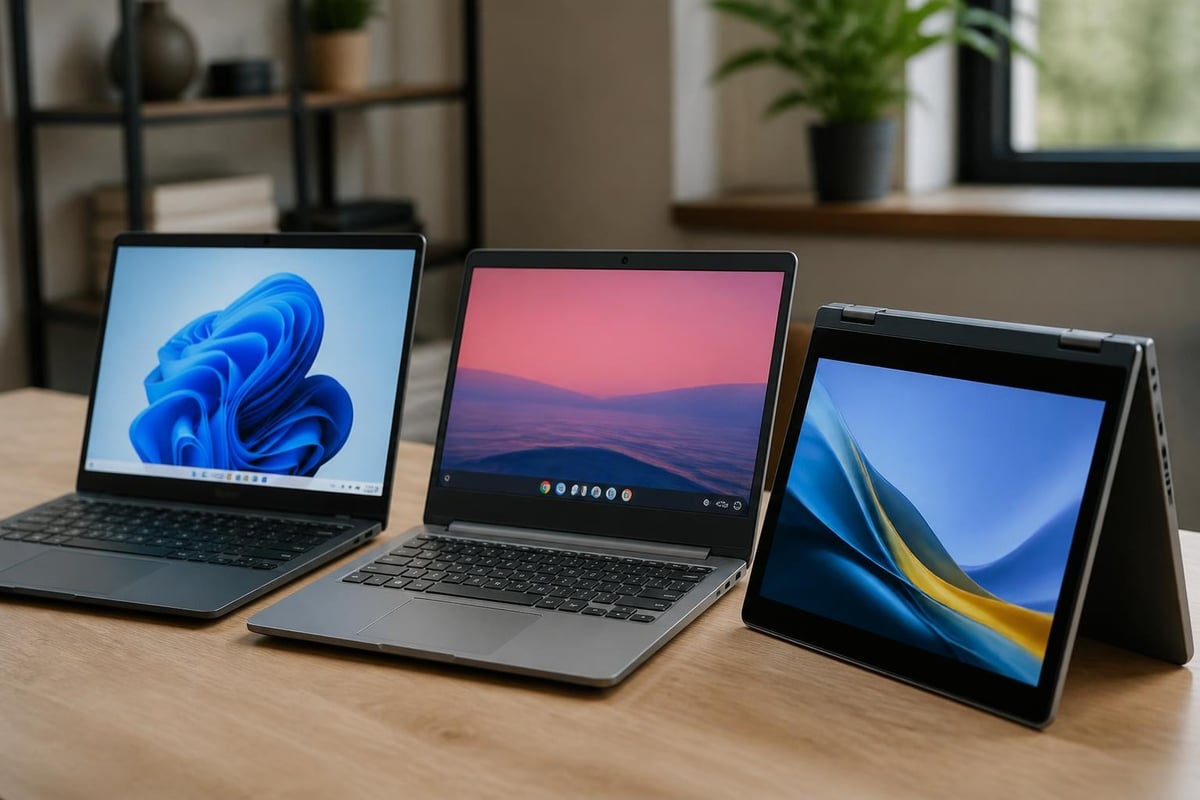
Budget-conscious buyers should explore Chromebooks as viable alternatives to Windows laptops. These devices universally include SSD storage, even in entry-level configurations, and offer exceptional battery life combined with maintenance-free operation. The Chrome OS platform excels for users whose workflows center on web applications, Google Workspace, or Microsoft 365 online.
Chromebook advantages include:
- Automatic security updates eliminating malware concerns
- Instant resume from sleep mode
- Integration with Android app ecosystem
- Simplified management for IT administrators
- Lower total cost of ownership over three-year lifecycle
Strategic Shopping Approaches for Maximum Value
Timing your purchase and knowing where to look can reduce costs by 20-30% without sacrificing specifications. The budget laptop market follows predictable patterns throughout the year.
Optimal Purchase Windows
| Season | Average Discount | Inventory Characteristics |
|---|---|---|
| January-February | 15-25% | Previous year clearance |
| June-August | 10-20% | Back-to-school promotions |
| November-December | 20-35% | Black Friday and year-end sales |
| April-May | 5-10% | New model transitions |
Educational discounts provide year-round savings for students and faculty members. Many manufacturers extend these programs to K-12 teachers and university staff, requiring only institutional email verification. Business volume pricing becomes available when purchasing three or more units, making coordinated departmental purchases cost-effective.
Understanding SSD Deal Opportunities
Storage upgrades represent one area where DIY-minded buyers can achieve significant savings. Some budget laptops ship with minimal SSD capacity but include accessible upgrade bays. Monitoring current SSD deals helps identify opportunities to purchase base configurations and install larger aftermarket drives.
Upgrade considerations:
- Verify whether your chosen laptop uses M.2 or 2.5-inch SSD form factor
- Check manufacturer warranty policies regarding user upgrades
- Compare the cost of base model plus separate SSD versus higher-spec factory configuration
- Ensure you have or can access proper tools for laptop disassembly
Gaming Performance on Budget SSD Laptops
While premium gaming laptops command attention with RGB lighting and aggressive styling, many budget models with discrete graphics can deliver satisfying gaming experiences when equipped with SSD storage. The impact of SSDs on gaming laptops extends beyond faster game loading to include reduced texture pop-in and smoother open-world exploration.
Gaming-Capable Budget Specifications
A cheap laptop with SSD suitable for gaming requires careful specification balancing. The graphics processor demands primary consideration, but storage speed directly impacts the user experience in modern titles.
Minimum gaming specifications for 2026:
- NVIDIA GTX 1650 or AMD Radeon RX 5500M discrete graphics
- 512GB NVMe SSD for AAA game installation
- 16GB RAM to prevent performance bottlenecks
- 1080p display with 60Hz refresh rate minimum
- Adequate cooling system to sustain performance
Games installed on SSD storage benefit from reduced initial loading screens, faster quick-save and quick-load operations, and improved asset streaming during gameplay. Open-world titles particularly benefit from SSD storage, as the constant loading of new terrain sections and environmental details becomes seamless rather than stuttering.
For businesses in the gaming and entertainment sector, investing in SSD-equipped laptops ensures smooth demonstration experiences and reliable performance during client presentations.
Business Applications and Enterprise Considerations
Small and medium enterprises across Africa and the UAE increasingly recognize that budget laptops with SSDs deliver professional-grade performance without enterprise-tier pricing. The reliability and speed advantages translate directly to employee productivity and reduced IT support requirements.
Total Cost of Ownership Analysis
| Factor | HDD-Based Budget Laptop | SSD-Based Budget Laptop |
|---|---|---|
| Initial Purchase | $300-$400 | $400-$550 |
| Average Lifespan | 3-4 years | 5-6 years |
| Failure Rate (3 years) | 8-12% | 2-4% |
| Boot Time (daily x 250 days) | 20.8 hours annually | 8.3 hours annually |
| IT Support Hours | 4-6 hours annually | 1-2 hours annually |
The upfront premium for SSD storage typically ranges from $75-$150 depending on capacity, but this investment returns value through extended hardware lifespan and reduced downtime. Employees waste less time waiting for systems to boot and applications to launch, translating to measurable productivity gains across an organization.
Deployment and Management Benefits
Modern SSDs support advanced features that optimize performance and longevity automatically. TRIM command support, wear-leveling algorithms, and over-provisioning ensure drives maintain speed throughout their operational life without user intervention.
Enterprise deployment advantages:
- Faster imaging and deployment processes during setup
- Reduced backup windows due to faster read speeds
- Improved reliability in challenging environmental conditions
- Lower power consumption reducing operational costs
- Silent operation benefiting open-plan office environments
Organizations standardizing on budget SSD laptops can implement more aggressive refresh cycles, reassigning three-year-old units to less demanding roles while maintaining acceptable performance levels. This cascade approach maximizes hardware investment across the entire employee base.

Technical Specifications Deep Dive
Understanding the technical distinctions between SSD types helps identify truly superior deals versus marketing-heavy specifications that provide minimal real-world benefit.
Interface Standards and Performance Implications
Budget laptops utilize three primary SSD interface types, each offering different performance characteristics:
SATA III (6 Gbps) represents the older standard, typically found in 2.5-inch form factor drives. Maximum theoretical throughput reaches 550 MB/s, adequate for general computing but representing the minimum acceptable specification in 2026. Manufacturers choosing SATA drives in new models typically do so purely for cost reduction.
PCIe Gen 3 NVMe delivers substantially improved performance through direct PCIe lanes rather than the SATA controller bottleneck. Sequential read speeds range from 1,500 to 3,500 MB/s depending on drive quality. This interface should be considered standard for any new laptop purchase.
PCIe Gen 4 NVMe pushes performance boundaries with theoretical speeds reaching 7,000 MB/s, though budget laptops rarely include processors and chipsets supporting this standard. The real-world benefits for typical productivity workloads remain minimal compared to Gen 3.
Endurance Ratings and Longevity
SSD endurance specifications, measured in Terabytes Written (TBW), indicate expected drive lifespan under normal usage patterns. Budget SSDs typically carry ratings between 80-300 TBW for 256GB models.
A realistic usage scenario writing 20GB daily would require over a decade to reach even the lower 80 TBW threshold. This longevity far exceeds the expected operational life of the laptop itself, making endurance ratings largely academic for consumer applications.
Regional Availability and Purchasing in Africa and the UAE
The African and UAE markets present unique considerations when sourcing budget laptops with SSD storage. Import duties, distribution networks, and regional warranty coverage all impact final pricing and long-term value.
Market Pricing Variations
UAE markets typically offer pricing 10-15% lower than African markets due to established distribution networks and lower import duties. Dubai and Abu Dhabi serve as regional hubs where businesses can source hardware in bulk, achieving additional volume discounts.
African markets show greater price variation between countries. South Africa, Kenya, and Nigeria maintain competitive pricing through established retail channels, while smaller markets may see premiums of 25-40% over international baseline pricing.
Warranty and Support Infrastructure
International manufacturer warranties often require local service centers for fulfillment. Before purchasing, verify that your chosen brand maintains authorized service facilities within reasonable proximity. Lenovo, HP, and Dell provide the most comprehensive coverage across both African and UAE markets.
Third-party warranty extension programs through retailers can provide value, particularly for businesses deploying multiple units. These programs typically add 15-20% to purchase price but eliminate shipping costs and downtime associated with manufacturer depot repairs.
Configuration Optimization for Specific Use Cases
Different usage patterns benefit from distinct specification priorities. Matching your cheap laptop with SSD to your actual workflow prevents overspending on unnecessary features while ensuring adequate performance where it matters.
Content Creation on a Budget
Video editors, graphic designers, and photographers working with budget constraints should prioritize:
- 16GB RAM minimum (32GB if budget allows)
- 512GB or larger SSD for working file storage
- Color-accurate display with 100% sRGB coverage
- Quad-core processor (Intel i5/i7 or Ryzen 5/7)
- Dedicated graphics with 4GB VRAM minimum
Adobe Creative Cloud applications benefit tremendously from SSD storage, particularly when working with layered files, 4K video footage, or large image libraries. Scratch disk performance directly impacts preview rendering and export times.
Remote Work and Video Conferencing
The explosion of remote work has created demand for laptops optimized for video calls, cloud-based collaboration, and extended battery life:
- 8GB RAM adequate for most scenarios
- 256GB SSD sufficient given cloud storage reliance
- Quality webcam (1080p minimum)
- Reliable Wi-Fi 6 connectivity
- 8+ hour battery life for all-day untethered use
SSD storage ensures rapid wake-from-sleep, allowing remote workers to join unexpected video calls without the frustrating wait times associated with HDD-based systems.
Educational and Student Applications
Students benefit from portable, durable configurations that balance cost with adequate performance for research, writing, and multimedia consumption:
- Lightweight design under 3.5 pounds for backpack portability
- 256GB SSD accommodating documents, presentations, and course materials
- 8GB RAM handling multiple browser tabs and productivity software
- 10+ hour battery life surviving full class schedules
- Durable construction withstanding daily transport
Many educational institutions now mandate SSD storage in their minimum specification requirements, recognizing the reliability benefits in high-use environments.
Future-Proofing Your Budget Purchase
While no budget laptop remains cutting-edge indefinitely, strategic specification selection extends useful life and delays replacement costs.
Upgradability Assessment
Before finalizing your purchase, research the specific model's upgrade potential:
- Can RAM be expanded, and are slots accessible?
- Does the SSD use standard M.2 form factor allowing replacement?
- Are internal components modular or soldered to the motherboard?
- Does the manufacturer provide maintenance manuals or teardown guides?
Some budget models sacrifice all upgradability to achieve thin profiles, essentially becoming disposable appliances once specifications become inadequate. Models with accessible RAM slots and standard SSD interfaces can receive midlife upgrades extending relevance by 2-3 years.
Software Optimization Strategies
Even a well-specified cheap laptop with SSD benefits from proper software configuration. Removing manufacturer-installed bloatware, disabling unnecessary startup programs, and maintaining current drivers prevents performance degradation over time.
Essential optimization steps:
- Disable visual effects in favor of performance mode
- Limit startup applications to essential services only
- Schedule maintenance tasks during non-working hours
- Keep storage utilization below 75% capacity for optimal SSD performance
- Implement regular backup procedures protecting against data loss
For businesses seeking reliable IT products and comprehensive support, exploring options through established suppliers ensures access to verified hardware and professional installation services.
Common Pitfalls to Avoid When Buying Budget Laptops
Even informed buyers occasionally fall victim to marketing tactics or overlook critical specifications when pursuing aggressive pricing.
Misleading Storage Marketing
Some retailers advertise "hybrid storage" configurations combining small SSDs with larger HDDs. While technically including SSD technology, these systems install the operating system on a 32GB or 64GB solid-state cache while storing user data on traditional spinning drives. This approach provides some boot speed improvements but fails to deliver the comprehensive performance benefits of true SSD-only configurations.
Refurbished and Off-Lease Considerations
The refurbished market offers compelling pricing on premium laptops that may include SSD storage at prices competitive with new budget models. These systems present both opportunities and risks:
Advantages of refurbished laptops:
- Access to business-class build quality at consumer prices
- Often include higher-end processors and displays
- Professional refurbishment processes ensure functionality
- Reduced environmental impact through hardware reuse
Potential concerns:
- Battery degradation reducing portability
- Cosmetic wear affecting professional appearance
- Shorter remaining useful life compared to new hardware
- Limited or no manufacturer warranty coverage
Businesses should evaluate refurbished options from reputable sellers offering minimum 90-day warranties and clear return policies.
Display Quality Compromises
Budget laptop manufacturers frequently cut costs through low-quality displays with poor brightness, limited color accuracy, and narrow viewing angles. Since you interface with the display throughout every computing session, this specification deserves more attention than it typically receives.
Minimum acceptable display specifications for 2026 include 1920×1080 resolution (avoiding outdated 1366×768 panels), 250 nits brightness minimum for usable outdoor visibility, and IPS panel technology ensuring consistent color regardless of viewing angle.
Investing in a cheap laptop with SSD delivers measurable performance improvements that transform daily computing experiences while maintaining budget-friendly pricing. By prioritizing solid-state storage alongside adequate RAM and modern processors, buyers in Africa and the UAE can secure systems that remain responsive and reliable for years of productive use. Whether you're equipping a growing business, supporting remote workers, or providing students with capable learning tools, Global Tronix Computer Trading LLC offers expert guidance and access to quality IT products that meet diverse needs across the region.
