- +971 56 918 6895
- sales@globaltechuae.com
- Salah Al Din Road, Deira, Dubai-UAE

Laptops 500GB: Complete Guide for Business and Home Use


When shopping for a new laptop in 2026, storage capacity remains one of the most critical specifications to consider. Laptops 500GB models occupy a unique position in the market, offering a balance between affordability and practical storage space for many users. Understanding whether 500GB meets your requirements, which models deliver the best value, and how this storage capacity compares to alternatives will help you make an informed purchasing decision. This comprehensive guide explores everything you need to know about laptops with 500GB storage, from technical considerations to specific model recommendations.
Understanding 500GB Storage Capacity in Modern Laptops
Storage capacity directly impacts how much data you can store on your device, including operating system files, applications, documents, photos, videos, and other media. A 500GB drive provides approximately 465GB of usable space after accounting for system files and formatting overhead.
Real-World Storage Breakdown
To understand whether 500GB suffices for your needs, consider typical file sizes and application requirements:
- Operating System: Windows 11 requires approximately 20-30GB, while macOS needs similar space
- Productivity Software: Microsoft Office suite consumes 3-4GB, Adobe Creative Cloud applications range from 2-10GB each
- Web Browsers and Email: Chrome, Firefox, and email clients typically use 1-2GB combined
- Photos: Modern smartphone photos average 3-5MB each, allowing storage of roughly 93,000 images
- Music: Standard MP3 files use 3-5MB per song, accommodating approximately 100,000 tracks
- Videos: HD movies consume 4-8GB each, while 4K content requires 20-40GB per film
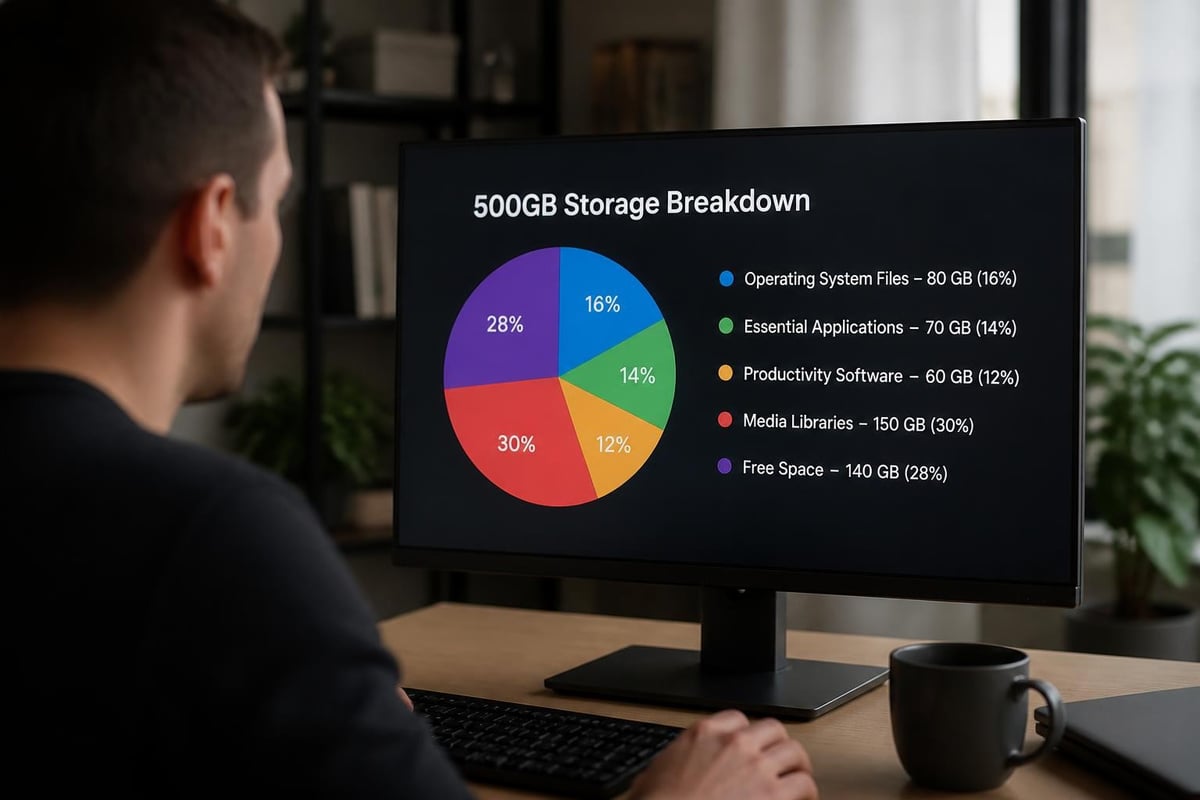
This breakdown demonstrates that 500GB provides adequate space for most standard computing tasks. However, users who work with large video files, extensive photo libraries, or multiple resource-intensive applications may find this capacity limiting over time.
Types of 500GB Storage: SSD vs HDD
Not all 500GB storage solutions perform equally. The technology underlying your storage drive significantly impacts system performance, durability, and user experience.
Solid State Drives (SSD)
Laptops 500GB with SSD storage offer superior performance compared to traditional hard drives. SSDs use flash memory chips with no moving parts, resulting in faster boot times, quicker application launches, and improved overall responsiveness.
Key SSD Advantages:
- Boot times of 10-15 seconds versus 30-60 seconds for HDDs
- Application launch speeds 2-3x faster than traditional drives
- Better durability due to absence of mechanical components
- Silent operation with no audible spinning or clicking
- Lower power consumption, extending battery life by 30-45 minutes
- Lighter weight, reducing overall laptop mass
Hard Disk Drives (HDD)
Traditional hard drives remain available in some budget laptops, though their market share continues declining in 2026. HDDs store data on spinning magnetic platters, making them more susceptible to physical damage from drops or impacts.
| Feature | 500GB SSD | 500GB HDD |
|---|---|---|
| Read Speed | 500-3500 MB/s | 80-160 MB/s |
| Write Speed | 400-3000 MB/s | 80-160 MB/s |
| Boot Time | 10-15 seconds | 30-60 seconds |
| Durability | High (no moving parts) | Moderate (mechanical) |
| Noise Level | Silent | Audible spinning |
| Power Draw | 2-3 watts | 6-7 watts |
| Lifespan | 5-7 years typical | 3-5 years typical |
| Price Premium | Standard in 2026 | Rare, budget only |
The performance difference between these technologies cannot be overstated. Even budget-conscious buyers should prioritize SSD storage when possible, as the speed improvements dramatically enhance daily usability.
Who Should Consider Laptops 500GB
Understanding your usage patterns helps determine whether 500GB storage meets your requirements. Different user profiles have varying storage needs based on their computing habits and professional demands.
Ideal Users for 500GB Laptops
Students and Educators: Most academic work involves documents, presentations, spreadsheets, and research materials that consume minimal storage. Cloud storage services like Google Drive, OneDrive, or Dropbox supplement local storage for collaboration and backup purposes.
Office Professionals: Business users primarily working with productivity applications, email, web conferencing, and document management systems rarely exceed 500GB requirements. Corporate environments often utilize network storage and cloud solutions for large file management.
Casual Home Users: Individuals browsing the web, streaming entertainment, managing personal finances, and occasional photo organization find 500GB perfectly adequate. Streaming services have reduced the need for local media libraries significantly.
Budget-Conscious Buyers: Those seeking maximum value without compromising essential performance appreciate how laptops 500GB deliver solid performance at accessible price points. According to Laptop Mag’s guide to the best laptops under $500, many excellent options feature 500GB SSDs while maintaining affordability.
Users Who Need More Storage
Content creators working with 4K video, professional photographers managing RAW image files, gamers with extensive libraries, and users who prefer storing large media collections locally should consider 1TB or larger drives.
Best Laptops 500GB Models in 2026
The market offers numerous quality options featuring 500GB storage across various price points and form factors. Selecting the right model depends on your specific requirements, budget constraints, and preferred features.
Budget-Friendly Options
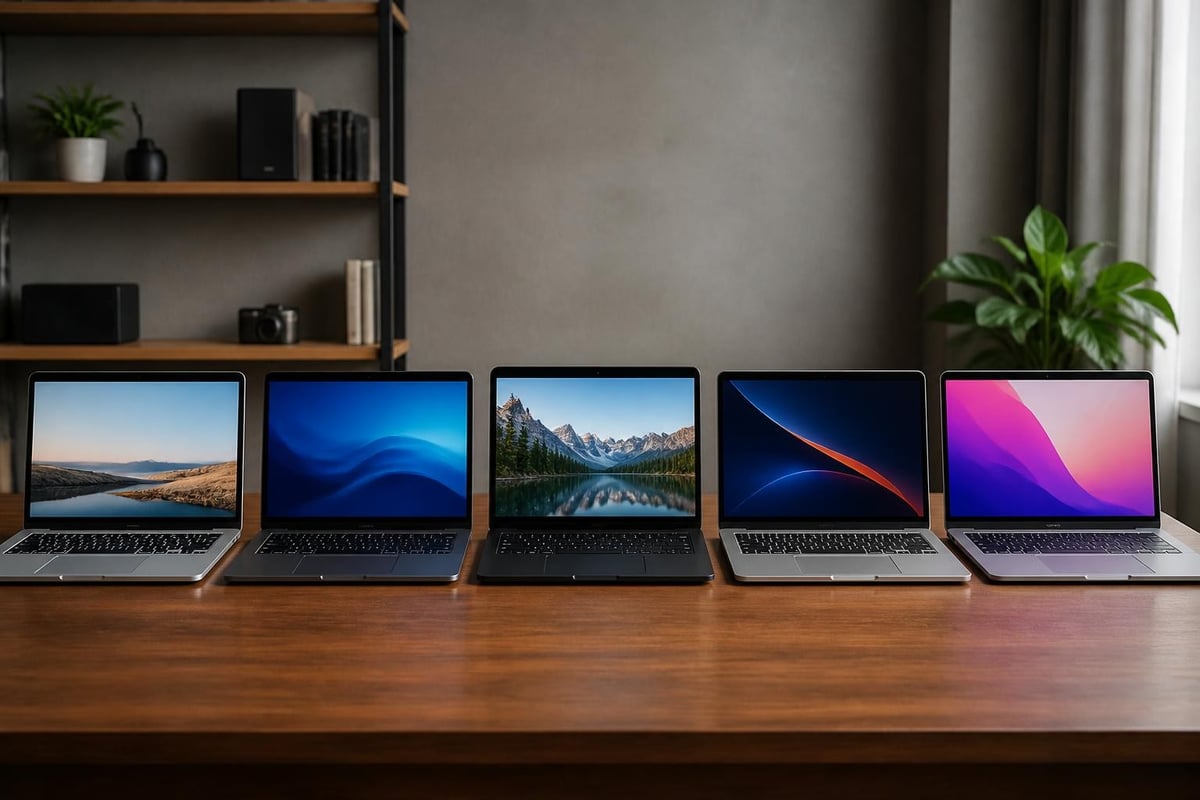
Entry-level laptops 500GB typically range from $350 to $550, offering essential features for everyday computing tasks. The Acer Aspire Go 15 (2025) exemplifies this category, providing reliable performance with 500GB SSD storage at an accessible price point.
Key Features to Expect:
- Intel Celeron or AMD Ryzen 3 processors
- 4-8GB RAM for basic multitasking
- 15.6-inch HD or Full HD displays
- Integrated graphics suitable for productivity
- 6-8 hour battery life
- Basic connectivity options (USB-A, USB-C, HDMI)
Mid-Range Performance Models
Mid-tier laptops with 500GB storage cost between $600 and $900, delivering enhanced performance, better build quality, and premium features. These systems suit users requiring more processing power for demanding applications or multitasking.
- Improved processors: Intel Core i5 or AMD Ryzen 5 chips
- Enhanced memory: 8-16GB RAM for smooth multitasking
- Superior displays: Full HD IPS panels with better color accuracy
- Dedicated graphics: Entry-level discrete GPUs in some models
- Extended battery: 8-12 hours typical usage
- Premium materials: Aluminum chassis or reinforced plastic construction
Ultraportable and Premium Options
High-end ultrabooks and business laptops featuring 500GB storage range from $1,000 to $1,500. These systems prioritize portability, build quality, and premium features over raw storage capacity.
Manufacturers targeting this segment often include 500GB as the base configuration, with upgrade options to 1TB or 2TB available. Business professionals and frequent travelers appreciate the lightweight construction, exceptional battery life, and enterprise-grade security features these models provide.
Expanding Storage Beyond 500GB
Even when purchasing laptops 500GB, users can easily expand their available storage through various methods. Modern connectivity standards and cloud services make supplementing internal storage straightforward and cost-effective.
External Storage Solutions
Portable SSDs offer fast, reliable storage expansion without modifying your laptop's internal configuration. TechRadar’s review of budget-friendly 500GB external SSDs highlights affordable options that match or exceed internal drive speeds.
External Storage Options:
- Portable SSDs: 500GB-2TB capacity, USB-C connectivity, 400-1000 MB/s speeds
- External HDDs: 1TB-5TB capacity, USB 3.0/3.1, 100-140 MB/s speeds, budget-friendly
- Flash Drives: 32GB-512GB capacity, convenient for document transfer
- SD Cards: 64GB-1TB capacity, ideal for photographers and content creators
Cloud Storage Integration
Cloud services seamlessly extend available storage while providing automatic backup and multi-device synchronization. Most operating systems integrate cloud storage natively, making file access transparent across devices.
| Service | Free Tier | Paid Plans | Best For |
|---|---|---|---|
| Google Drive | 15GB | 100GB-2TB ($1.99-9.99/mo) | Document collaboration |
| Microsoft OneDrive | 5GB | 100GB-1TB ($1.99-6.99/mo) | Office 365 integration |
| Dropbox | 2GB | 2TB-3TB ($11.99-19.99/mo) | File sharing |
| iCloud | 5GB | 50GB-2TB ($0.99-9.99/mo) | Apple ecosystem |
| Amazon Drive | Photos only | 100GB-2TB ($1.99-11.99/mo) | Prime members |
Combining local 500GB storage with cloud services creates a hybrid approach that maximizes convenience while maintaining affordable hardware costs.
Storage Performance Considerations
Storage capacity represents just one aspect of drive performance. Understanding additional specifications helps you evaluate whether specific laptops 500GB models meet your performance expectations.
Read and Write Speeds
Sequential read and write speeds indicate how quickly your laptop transfers large files. Modern NVMe SSDs in 500GB configurations achieve dramatically faster speeds than older SATA SSDs or traditional hard drives.
- NVMe PCIe 3.0 SSDs: 1,500-3,500 MB/s read, 1,000-3,000 MB/s write
- NVMe PCIe 4.0 SSDs: 5,000-7,000 MB/s read, 4,000-6,500 MB/s write
- SATA SSDs: 500-550 MB/s read, 450-520 MB/s write
- Traditional HDDs: 80-160 MB/s read and write
Random Access Performance
Random read/write operations, measured in IOPS (Input/Output Operations Per Second), affect everyday responsiveness when opening applications, loading files, and performing typical computing tasks.
Higher IOPS values translate to snappier system performance during multitasking and application switching. Quality SSDs deliver 50,000-500,000 IOPS, while HDDs typically manage only 100-200 IOPS.
Avoiding Storage Scams and Misleading Claims
When shopping for laptops 500GB, consumers must remain vigilant against deceptive marketing practices and fraudulent storage claims. Some sellers employ misleading tactics to make products appear more attractive than reality.
Common Deceptive Practices
TechRadar warns about shady storage tricks employed by unscrupulous sellers, particularly on third-party marketplaces. These tactics include:
- Inflated capacity claims: Advertising combined internal and cloud storage as total capacity
- Temporary storage: Including trial cloud subscriptions in total storage calculations
- USB drive inclusion: Adding removable storage to internal capacity figures
- Misleading specifications: Listing RAM and storage together to confuse buyers
Verification Steps
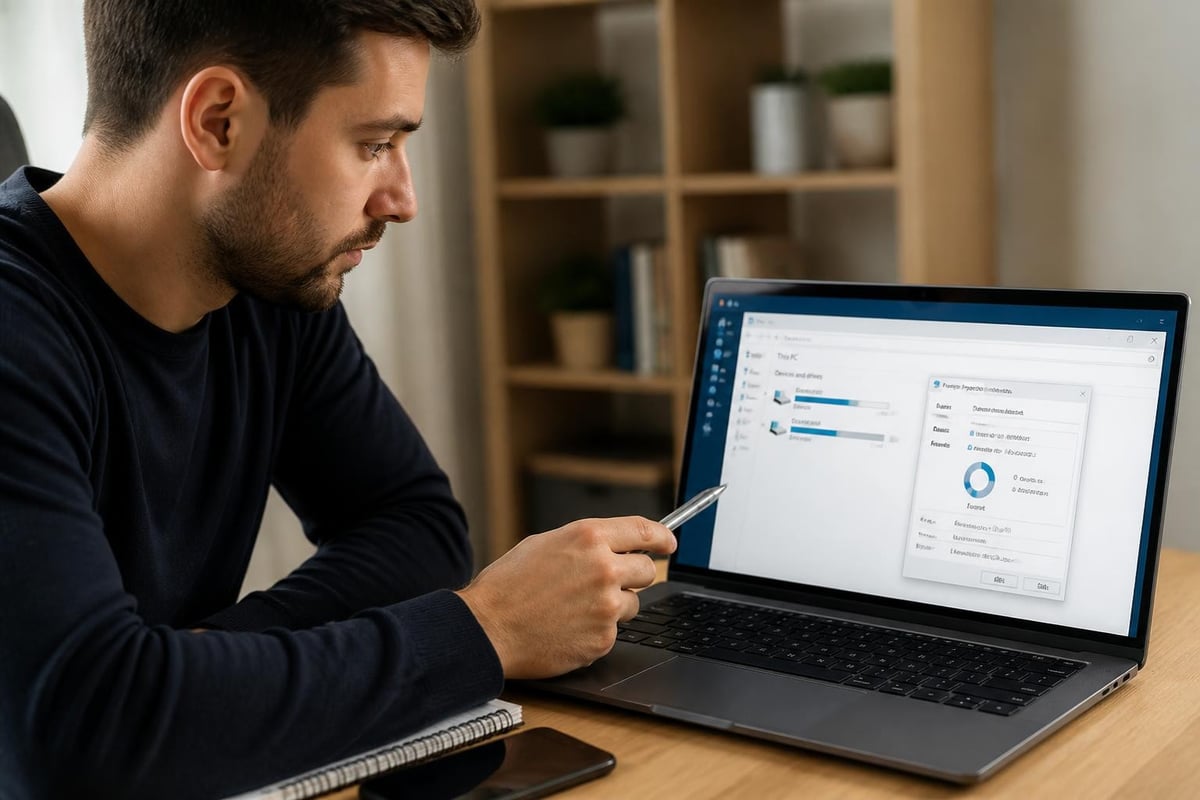
Before purchasing, verify storage specifications through these methods:
- Check manufacturer specifications directly on the brand's official website
- Read professional reviews from reputable technology publications
- Examine product descriptions carefully for combined storage claims
- Verify SSD type (NVMe vs SATA) to ensure performance expectations align
- Review customer feedback regarding actual received storage capacity
Purchasing from authorized retailers and established IT suppliers significantly reduces exposure to fraudulent claims and counterfeit products.
Memory and Storage Balance
While focusing on storage capacity, don't overlook RAM (memory) requirements. The relationship between system memory and storage affects overall laptop performance and usability.
Recommended RAM Configurations
For laptops 500GB, pair storage with appropriate memory for optimal performance:
- 4GB RAM: Minimum for basic web browsing and light productivity (Windows 11 minimum)
- 8GB RAM: Recommended standard for general computing and multitasking
- 16GB RAM: Ideal for demanding applications, extensive multitasking, professional work
- 32GB RAM: Necessary only for specialized workloads like video editing or virtual machines
Balanced configurations prevent bottlenecks. A laptop with 500GB SSD storage but only 4GB RAM will feel sluggish during multitasking, while 16GB RAM paired with a slow HDD creates frustrating load times despite smooth operation once applications open.
Future-Proofing Storage Decisions
Technology evolves rapidly, making forward-thinking purchasing decisions valuable. Consider how your storage needs might change over the next three to five years when selecting laptops 500GB.
Storage Trend Analysis
Historical data shows average file sizes increasing steadily:
- Photos: Modern smartphone cameras now capture 12-20MP images (5-8MB each)
- Applications: Software packages grow 15-20% annually in installed size
- Operating systems: Major OS updates add 5-10GB requirements every 2-3 years
- Media consumption: Shift toward 4K content increases local caching requirements
However, offsetting trends reduce local storage pressure:
- Cloud storage adoption continues accelerating across all user segments
- Streaming services minimize need for local media libraries
- Browser-based applications reduce installation requirements
- Automatic cloud backup reduces redundant local file storage
For most users, 500GB remains adequate through 2028-2029 when combined with cloud services and external storage options as needed.
Business and Enterprise Considerations
Organizations purchasing laptops 500GB for employees must evaluate additional factors beyond individual consumer requirements. Fleet management, security policies, and standardization concerns influence purchasing decisions.
Enterprise Storage Requirements
Business laptop deployments typically specify minimum storage based on role requirements:
Office Workers: 256GB-500GB sufficient for productivity applications and cloud-based workflows
Field Technicians: 500GB-1TB recommended for offline access to documentation and diagnostic tools
Creative Professionals: 1TB-2TB necessary for design files, video projects, and media assets
Developers: 512GB-1TB required for development environments, virtual machines, and code repositories
Management and Security
Enterprise IT departments appreciate laptops 500GB for several operational reasons. Smaller storage capacities simplify backup procedures, reduce data migration time during hardware refresh cycles, and encourage adoption of centralized storage solutions that improve data security and compliance.
Many organizations mandate cloud storage or network drives for business-critical data, making large local storage capacity unnecessary and potentially problematic from a data governance perspective.
Comparing 500GB to Alternative Capacities
Understanding how 500GB compares to other common storage tiers helps contextualize this capacity option within the broader market.
Storage Capacity Comparison
| Capacity | Typical Price Delta | Best For | Limitations |
|---|---|---|---|
| 256GB | $50-75 less | Ultra-budget, cloud-heavy users | Very limited local storage |
| 500GB | Baseline | Students, office workers, casual users | May require cloud supplementation |
| 1TB | $75-125 more | Content creators, gamers, power users | Higher cost for entry-level systems |
| 2TB | $150-250 more | Professional creators, extensive media libraries | Premium price point |
The price-to-capacity ratio typically favors 1TB drives, but for users whose needs fit within 500GB constraints, the cost savings enable investment in other specifications like better processors, additional RAM, or superior displays.
Making the Right Choice
Tom’s Guide’s comprehensive roundup demonstrates that many excellent laptops under $500 feature 500GB storage, proving this capacity delivers strong value in competitive price segments.
Calculate your actual storage requirements by auditing current usage:
- Check existing laptop storage consumption in system settings
- Add 20-30% growth buffer for future needs
- Subtract cloud storage and external drive capacity you're willing to utilize
- Choose the smallest capacity meeting these requirements
This approach prevents overpaying for unused storage while ensuring adequate space for your actual needs.
Specialized Use Cases for 500GB Laptops
Certain scenarios particularly suit laptops 500GB, where this capacity represents an ideal balance of cost, performance, and sufficiency.
Educational Environments
Schools and universities deploying laptops for student use find 500GB configurations optimal. Students primarily work with documents, presentations, and web-based applications that consume minimal storage. Educational licensing agreements often include cloud storage through Google Workspace or Microsoft 365, further reducing local storage requirements.
Institutions appreciate the lower replacement costs when devices fail or become outdated, making larger deployment programs financially feasible.
Kiosk and Public Computing
Libraries, retail stores, and public facilities implementing self-service computing stations benefit from 500GB laptops. These deployments require sufficient storage for operating systems and essential applications without expensive overspecification.
Security policies in public computing environments often prohibit user data persistence, rendering large storage capacities unnecessary and potentially problematic.
Secondary and Travel Laptops
Professionals maintaining multiple computers often choose laptops 500GB for secondary devices. A lightweight travel laptop with 500GB storage handles email, web browsing, and productivity tasks during trips, while a primary workstation at the office manages demanding applications and large file libraries.
This approach optimizes mobility without sacrificing storage capacity where it matters most.
Technical Specifications to Review
Beyond basic storage capacity, examine detailed specifications to ensure laptops 500GB meet your performance expectations and use case requirements.
Interface and Protocol
- NVMe (PCIe): Modern standard, dramatically faster than SATA
- SATA III: Older interface, still common in budget systems
- eMMC: Avoid in laptops; smartphone-style storage with poor performance
Form Factor
- M.2 2280: Most common in modern laptops, upgradeable in many models
- M.2 2242: Shorter format, less common, sometimes used in ultraportables
- 2.5-inch: Traditional form factor, mainly for HDDs or budget SATA SSDs
NAND Type
- TLC (Triple-Level Cell): Industry standard, good balance of performance, endurance, and cost
- QLC (Quad-Level Cell): Lower cost, slightly reduced endurance and speed
- SLC/MLC: Premium options, exceptional endurance, rarely seen in consumer systems
Understanding these technical aspects helps you evaluate whether specific laptops 500GB models deliver appropriate performance for your intended applications and workload patterns.
Selecting the right laptop storage capacity requires careful consideration of your usage patterns, budget constraints, and future needs. Laptops 500GB offer an excellent balance for students, office professionals, casual users, and budget-conscious buyers who primarily work with documents, web applications, and streaming media. When combined with cloud storage and external drive options, 500GB provides ample capacity for most computing scenarios while maintaining accessible price points. For businesses and individuals seeking quality laptops with verified specifications from trusted brands, Global Tronix Computer Trading LLC delivers a curated selection of IT products across Africa and the UAE, ensuring you receive genuine products that match your storage and performance requirements without misleading claims or counterfeit risks.
