- +971 56 918 6895
- sales@globaltechuae.com
- Salah Al Din Road, Deira, Dubai-UAE

Notebook Netbook: Understanding Portable Computing Options

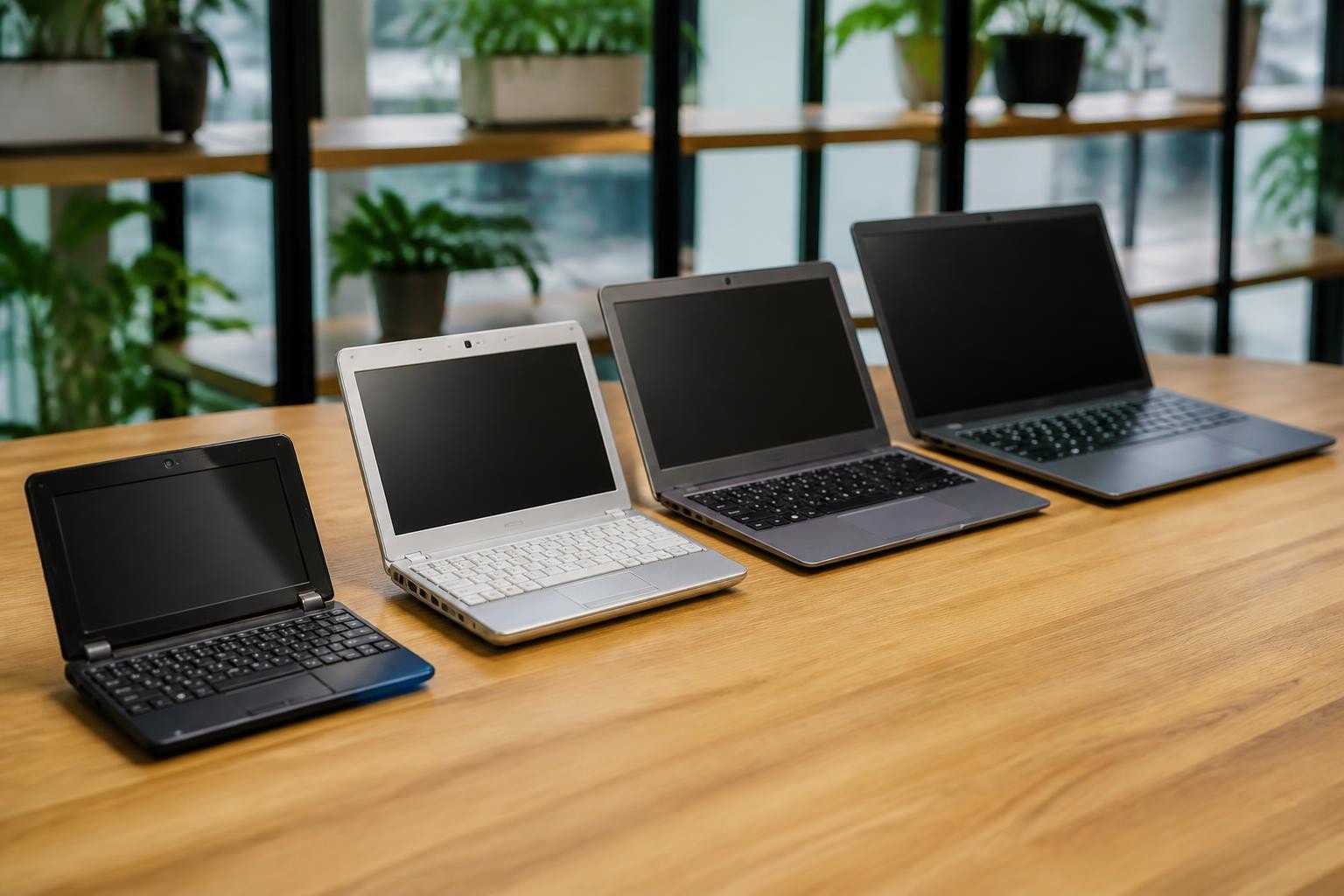
The landscape of portable computing has evolved dramatically over the past two decades, with various form factors emerging to meet different user needs and budgets. Among the terminology that often creates confusion are the terms "notebook" and "netbook," two distinct categories of portable computers that served different purposes in the computing ecosystem. While netbooks have largely faded from the mainstream market, understanding the distinction between a notebook netbook configuration helps businesses and consumers make informed decisions about their computing investments, especially in markets across Africa and the UAE where diverse computing needs require tailored solutions.
The Historical Context of Portable Computing
The portable computing revolution began with bulky laptops in the 1980s, but the real diversification occurred in the early 2000s. Notebooks emerged as powerful, full-featured portable computers designed to replace desktop machines for many users. These devices featured robust processors, ample storage, and screens typically ranging from 13 to 17 inches.
Netbooks entered the market around 2007 as a response to growing demand for ultra-portable, budget-friendly devices. The netbook category was specifically designed for basic computing tasks like web browsing, email, and document editing. These compact machines prioritized portability and battery life over raw performance, creating a distinct market segment that appealed to students, travelers, and budget-conscious consumers.
The rise and fall of netbooks provides valuable lessons for IT procurement professionals. At their peak between 2008 and 2010, netbooks captured significant market share, but the introduction of tablets and ultrabooks eventually rendered them obsolete. Understanding this evolution helps businesses avoid investing in technology that may quickly become outdated.
Technical Specifications: Breaking Down the Differences
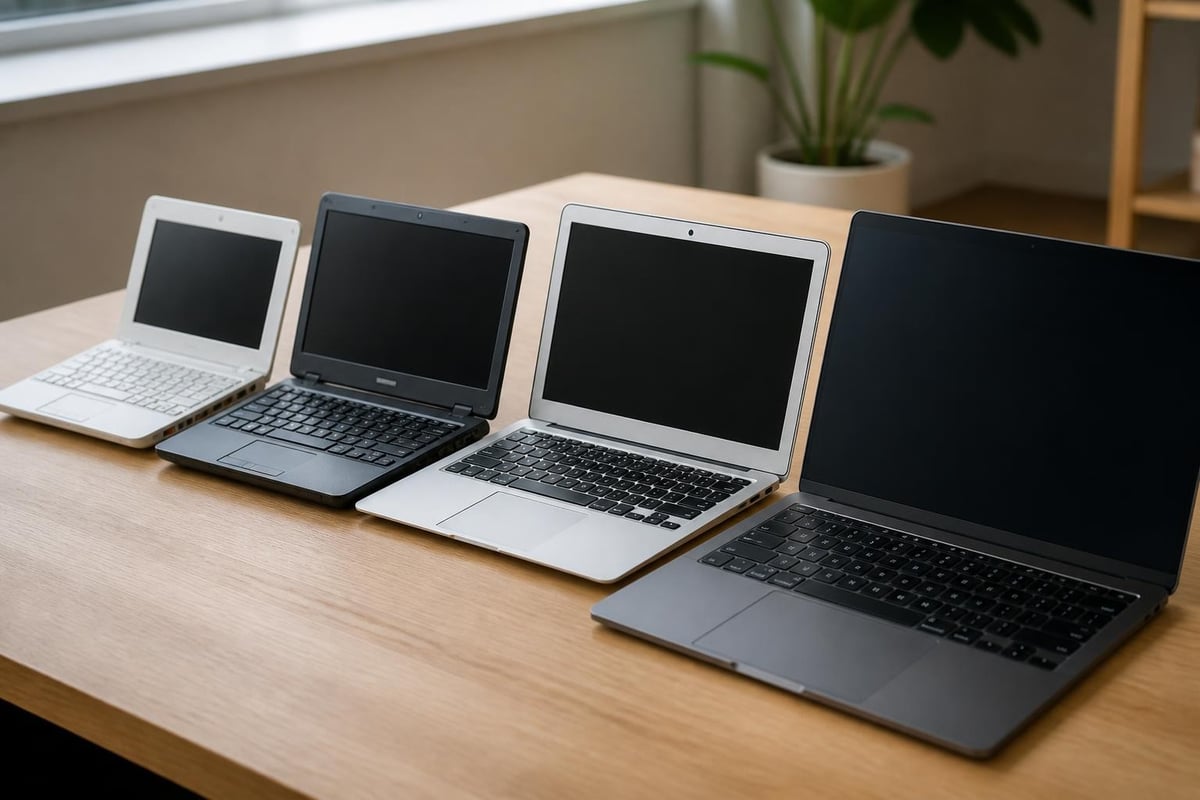
When comparing a notebook netbook setup, the technical specifications reveal fundamental differences in design philosophy and intended use cases. These distinctions matter significantly for businesses selecting devices for different employee roles and computing requirements.
Processing Power and Performance
Notebooks typically feature full-powered processors from Intel's Core series or AMD's Ryzen family. These CPUs handle demanding applications including:
- Professional software suites like Adobe Creative Cloud
- Advanced data analysis and business intelligence tools
- Virtual machines and development environments
- Complex spreadsheets and database management
- Video conferencing with multiple participants
Netbooks, by contrast, utilized low-power processors such as Intel Atom chips. These energy-efficient processors consumed less battery power but offered significantly reduced performance. The processing limitations made netbooks suitable primarily for basic tasks and web-based applications.
Display and Form Factor Considerations
The physical dimensions represent one of the most obvious distinctions between these device categories. Netbooks featured screens between 7 and 11 inches, with 10.1 inches being the most common size. This compact footprint made them extremely portable but challenging for extended work sessions.
| Feature | Netbook | Notebook |
|---|---|---|
| Screen Size | 7-11 inches | 13-17 inches |
| Weight | 2-3 pounds | 3-7 pounds |
| Resolution | 1024×600 typical | 1920×1080 or higher |
| Keyboard | Compact, cramped | Full-size, comfortable |
Notebooks offer displays ranging from 13 inches for ultraportable models to 17 inches for desktop replacement units. The larger screens provide better productivity for multitasking, detailed work, and presentations. Modern notebooks also feature higher resolutions, with many offering Full HD (1920×1080) or even 4K displays for professional graphics work.
Storage and Memory Architecture
Storage technology represents another critical distinction when evaluating a notebook netbook comparison. Netbooks typically shipped with 16GB to 256GB of solid-state storage or small hard drives. Memory configurations ranged from 1GB to 2GB of RAM, which severely limited multitasking capabilities.
Contemporary notebooks offer substantially more robust storage options:
- Standard configurations with 256GB to 1TB SSDs
- High-performance models with up to 4TB of storage
- Memory configurations from 8GB to 64GB RAM
- Support for external storage expansion
- Faster NVMe SSD technology for improved performance
These enhanced specifications enable notebooks to handle modern operating systems, professional applications, and large data sets that would overwhelm netbook hardware.
Connectivity and Expansion Options
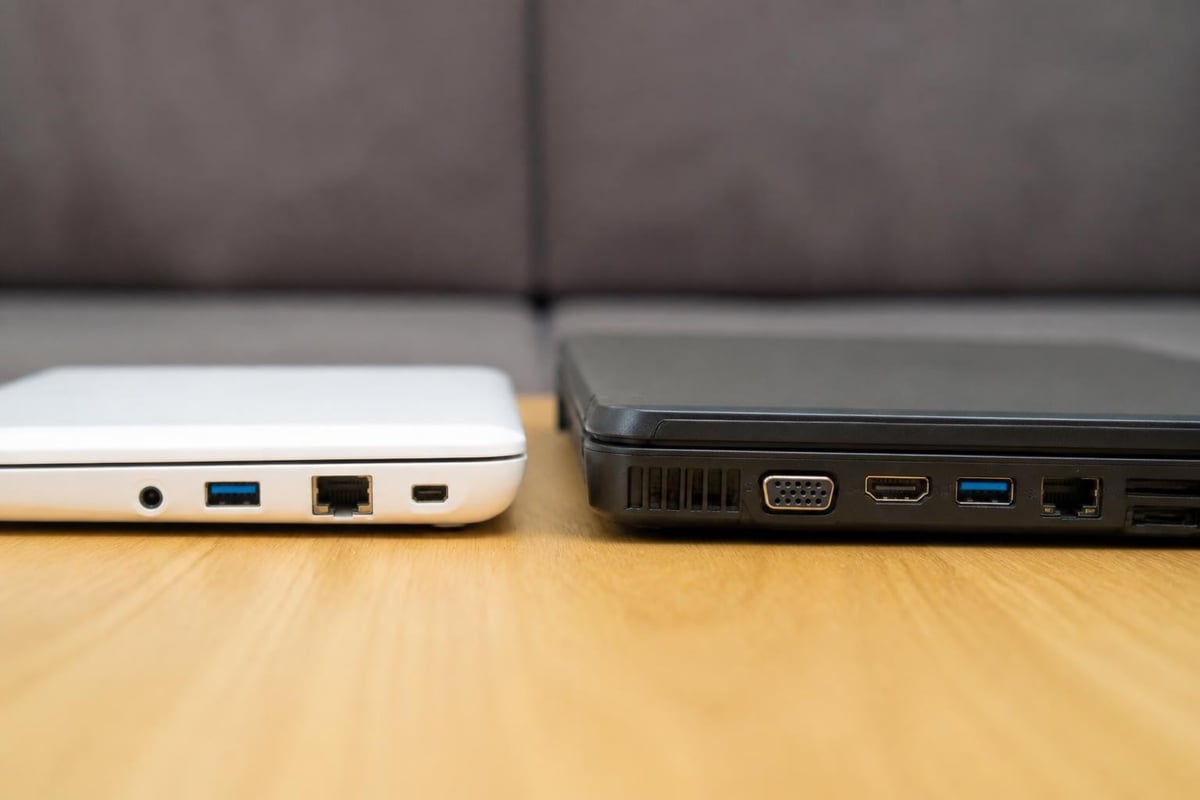
The practical differences between netbooks and notebooks extend beyond internal specifications to external connectivity. Netbooks often featured limited port selections due to their compact size, typically including:
- Two or three USB 2.0 ports
- VGA video output
- 3.5mm audio jack
- SD card reader
- Ethernet port (sometimes omitted)
Modern notebooks provide comprehensive connectivity suited for business environments. Professional-grade notebooks include USB-C with Thunderbolt support, multiple USB-A ports, HDMI outputs, and sometimes legacy ports for compatibility with existing equipment. This expanded connectivity matters significantly for businesses that need to integrate portable devices with projectors, external monitors, network infrastructure, and peripheral devices.
Operating Systems and Software Compatibility
Operating system support illustrates another fundamental difference in the notebook netbook equation. Netbooks initially shipped with Windows XP, then transitioned to Windows 7 Starter Edition, a stripped-down version with limited features. Some manufacturers offered Linux distributions to reduce costs and system resource requirements.
The limited processing power and memory in netbooks created significant software compatibility challenges. Many professional applications required more resources than netbooks could provide, forcing users to rely on web-based alternatives or simplified mobile apps.
Notebooks support full-featured operating systems including:
- Windows 11 Professional for enterprise environments
- macOS for Apple MacBook users
- Linux distributions for development and specialized applications
- Full compatibility with professional software suites
- Support for virtualization and containerization
This comprehensive software support makes notebooks suitable for diverse business applications across industries, from finance and engineering to creative services and healthcare.
Battery Life and Power Management
Battery performance represented one area where netbooks excelled. The key differences in functionality included power consumption patterns that favored netbooks for extended unplugged use. Low-power processors and small displays enabled netbooks to achieve 6-10 hours of battery life, making them ideal for all-day computing without access to power outlets.
Modern notebooks have closed this gap significantly through improved battery technology and efficient processors. Current ultrabooks and business notebooks routinely deliver 8-12 hours of battery life while maintaining superior performance. This advancement has eliminated one of the primary advantages netbooks held over their larger counterparts.
Cost Considerations and Value Proposition
Price points historically differentiated the notebook netbook market segments. Netbooks typically retailed between $200 and $400, making them accessible entry-level computing devices. This affordability drove adoption in education, emerging markets, and as secondary devices for travelers.
Notebooks command higher prices reflecting their enhanced capabilities:
- Entry-level models: $400-$700
- Mid-range business notebooks: $700-$1,500
- Premium ultrabooks: $1,500-$2,500
- Professional workstations: $2,500-$4,000+
For businesses evaluating total cost of ownership, the initial price advantage of netbooks proves deceptive. The limited capabilities often necessitate earlier replacement cycles and restrict employee productivity, ultimately increasing long-term costs.
Use Case Analysis for Different Computing Needs
Understanding when a notebook or netbook configuration makes sense requires careful analysis of specific use cases and requirements. This evaluation becomes particularly important for businesses outfitting employees with appropriate technology.
Mobile Professionals and Field Workers
Sales representatives, consultants, and field service technicians require portable devices that balance mobility with functionality. While the ultra-portable form factor of netbooks initially appealed to this demographic, the limited screen size and processing power hindered productivity during client presentations and detailed work.
Modern lightweight notebooks weighing 2.5-3.5 pounds with 13-14 inch displays provide optimal solutions for mobile professionals. These devices offer sufficient screen real estate for presentations, full application compatibility, and adequate performance for professional tasks while remaining highly portable.
Students and Educational Environments
Educational institutions initially embraced netbooks for their affordability and durability. The low cost enabled one-to-one computing initiatives, and the limited functionality reduced distractions from games and entertainment.
However, as educational software has evolved to include multimedia content, interactive simulations, and collaborative tools, the processing limitations of netbooks have become problematic. Current educational technology requirements favor budget-friendly notebooks with at least 8GB RAM and modern processors capable of handling video conferencing, content creation, and cloud-based learning platforms.
Business Office Environments
Corporate environments require devices that integrate seamlessly with enterprise infrastructure, security systems, and productivity tools. The distinctions between device categories matter significantly for IT departments managing fleet deployments.
Netbooks lacked several critical enterprise features:
- Insufficient power for business intelligence tools
- Limited security feature support
- Incompatibility with professional software
- Poor multitasking performance
- Inadequate display for detailed work
Notebooks provide comprehensive business functionality including support for encryption, biometric authentication, remote management tools, and compatibility with enterprise software ecosystems. These capabilities justify the higher investment for business applications.

The Current State of Portable Computing in 2026
The netbook category has essentially disappeared from mainstream retail channels, replaced by tablets, Chromebooks, and affordable notebooks. The evolution of these computing categories demonstrates how market demands shift as technology improves and prices decrease.
Several factors contributed to the decline of netbooks:
- Tablet emergence – iPads and Android tablets offered better touch interfaces for content consumption
- Ultrabook development – Thin, light notebooks eliminated the portability advantage
- Cloud computing growth – Web-based applications reduced local processing requirements
- Price compression – Full-featured notebook prices dropped into netbook territory
- Performance expectations – Users demanded more capability than netbooks could deliver
In 2026, businesses and consumers shopping for portable computing solutions encounter a different landscape. The choice now centers on factors like screen size, performance tier, operating system preference, and specific feature requirements rather than the basic notebook netbook distinction of previous years.
Making Informed Purchasing Decisions
Organizations evaluating portable computing investments should consider several key factors beyond simple device categorization. The total cost of ownership includes hardware acquisition, software licensing, support costs, and productivity impacts.
Performance Requirements Assessment
Begin by analyzing actual computing needs rather than assuming all users require identical devices. Different roles demand different capabilities:
- Executive and management – Premium notebooks with excellent displays for presentations
- Administrative staff – Mid-range notebooks for office productivity applications
- Creative professionals – High-performance notebooks with dedicated graphics
- Sales teams – Lightweight notebooks optimized for battery life
- Technical staff – Powerful notebooks supporting development tools
Future-Proofing Considerations
Technology investments should account for evolving requirements over the device lifecycle. A notebook purchased today should remain productive for 3-5 years, requiring specifications that exceed current minimum requirements. This forward-looking approach prevents premature obsolescence and reduces replacement frequency.
| Specification | Minimum (2026) | Recommended | Future-Proof |
|---|---|---|---|
| Processor | Intel i3/Ryzen 3 | Intel i5/Ryzen 5 | Intel i7/Ryzen 7 |
| RAM | 8GB | 16GB | 32GB |
| Storage | 256GB SSD | 512GB SSD | 1TB SSD |
| Display | 1920×1080 | 2560×1600 | 4K |
Support and Warranty Programs
Professional notebooks typically include superior warranty coverage and support options compared to consumer-grade devices. Business-class notebooks often feature:
- Three-year warranties versus one-year consumer coverage
- Next-business-day service options
- On-site repair services
- Dedicated business support lines
- Extended warranty purchase options
These support features reduce downtime and associated productivity losses, justifying higher initial investments for business deployments.
Regional Considerations for Africa and UAE Markets
Computing needs in Africa and the UAE present unique challenges and opportunities that influence notebook selection. Infrastructure variations, climate conditions, and use case patterns require careful consideration when specifying devices.
Power reliability varies significantly across regions, making battery life a critical specification. Areas with frequent power interruptions benefit from notebooks offering 10+ hours of battery life and efficient power management. Additionally, hot climates common across these regions demand robust cooling systems to prevent thermal throttling and extend device longevity.
Connectivity options matter significantly in regions with varying network infrastructure. Notebooks supporting both Wi-Fi and cellular connectivity provide flexibility for users working in areas with limited wired network access. The ability to connect via 4G/5G enables productivity in remote locations and during travel between urban centers.
Local support availability should factor into purchasing decisions. Selecting brands and models with established service networks across Africa and the UAE ensures timely repairs and reduces device downtime. Global Tronix Computer Trading LLC's regional presence provides this critical support infrastructure for businesses across both markets.
Sustainability and Environmental Impact
Modern IT procurement increasingly emphasizes environmental considerations. The shorter lifespan of netbooks and their limited upgrade potential created significant electronic waste as users quickly outgrew their capabilities. Notebooks designed for longer service lives and component upgrades reduce environmental impact through extended usability.
Energy efficiency has improved dramatically across all portable computing categories. Current notebooks consume significantly less power than earlier generations while delivering superior performance. This efficiency reduces operational costs and environmental footprint simultaneously, aligning with corporate sustainability objectives.
Many manufacturers now offer recycling programs and use recycled materials in notebook construction. These initiatives support circular economy principles and help organizations meet environmental, social, and governance (ESG) goals. When evaluating suppliers, businesses should consider environmental commitments and take-back programs for end-of-life devices.
Understanding the historical notebook netbook distinction and current portable computing landscape enables informed technology investments that align with organizational needs and budgets. While netbooks served a specific market need during their brief prominence, modern notebooks offer superior value through enhanced performance, comprehensive features, and longer service lives. Whether equipping mobile professionals, office staff, or specialized roles, selecting appropriate notebook specifications ensures productivity and longevity. Global Tronix Computer Trading LLC provides expert guidance and comprehensive IT solutions across Africa and the UAE, helping businesses navigate portable computing options and deploy devices that maximize employee productivity and organizational success.
