- +971 56 918 6895
- sales@globaltechuae.com
- Salah Al Din Road, Deira, Dubai-UAE

PC Hardware Refresh: Essential Guide for Business Success

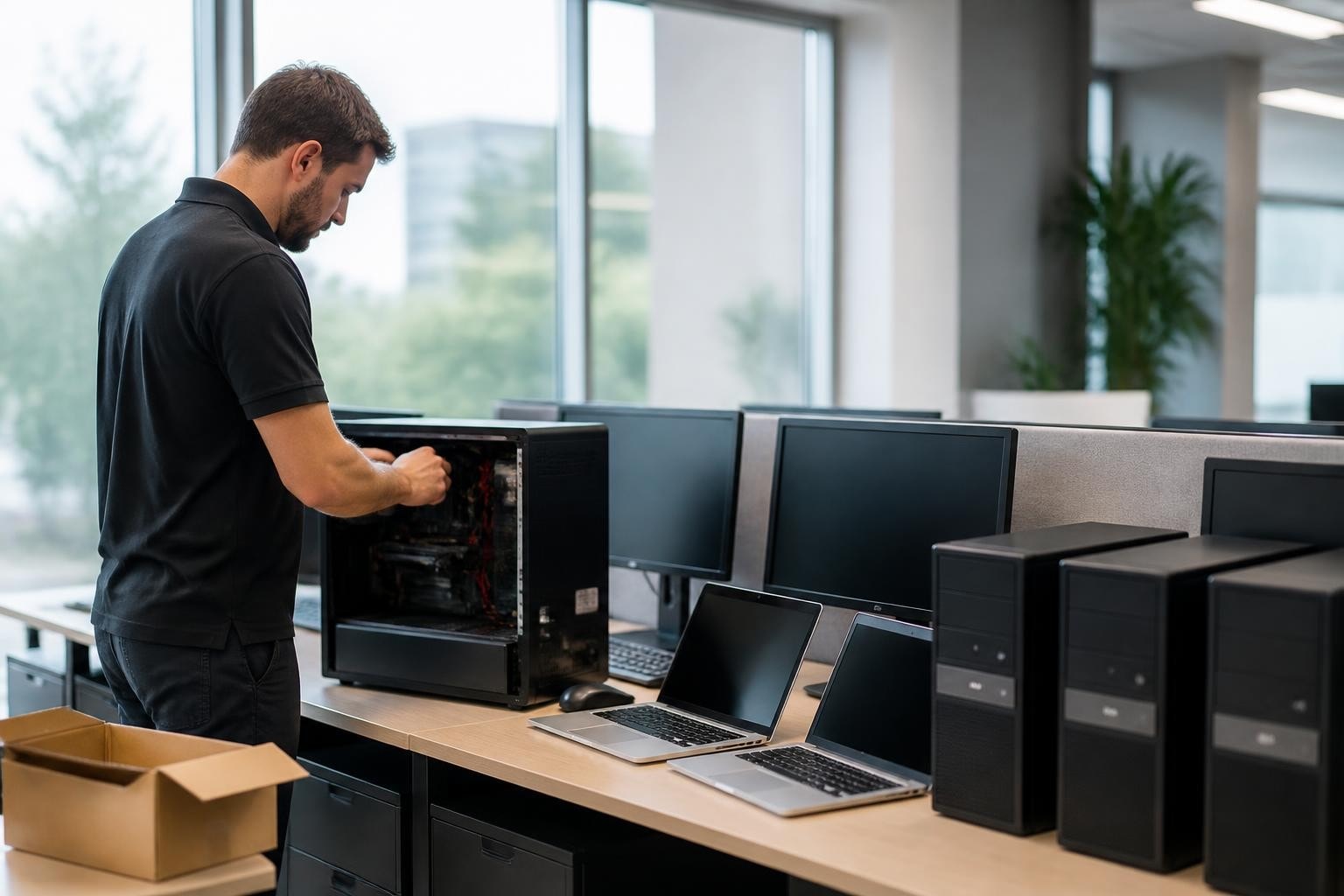
Every business reliant on technology reaches a critical juncture when existing computer systems begin to slow operations, increase maintenance costs, and expose the organization to security vulnerabilities. A strategic pc hardware refresh addresses these challenges head-on, replacing aging equipment with modern systems that boost productivity, enhance security, and support current business demands. For organizations across Africa and the UAE, understanding when and how to refresh hardware infrastructure can mean the difference between competitive advantage and operational stagnation. This comprehensive guide explores the essential elements of planning and executing a successful hardware refresh program, from lifecycle assessment to implementation strategies that minimize disruption while maximizing return on investment.
Understanding the PC Hardware Refresh Cycle
The concept of a pc hardware refresh extends beyond simply purchasing new computers when old ones break down. It represents a systematic approach to managing technology assets throughout their useful lifespan. Hardware refresh involves proactively replacing equipment at optimal intervals, balancing performance requirements against total cost of ownership.
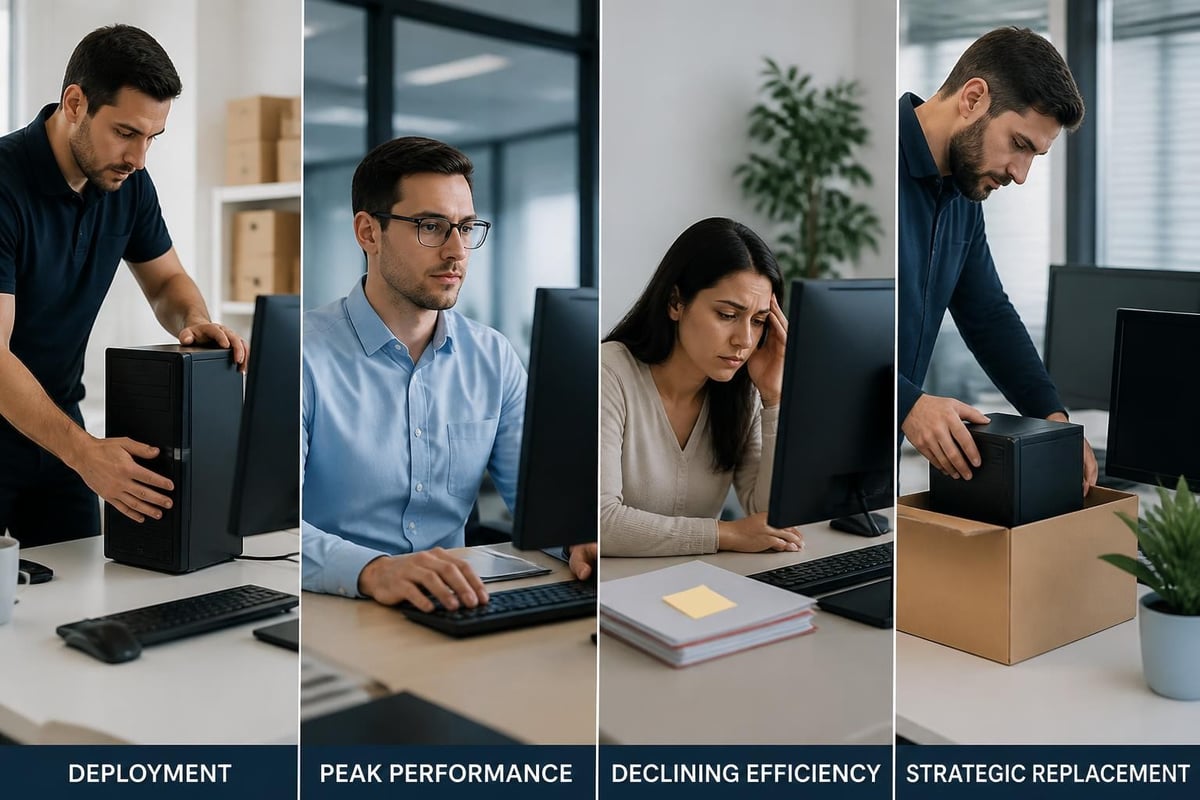
Most business-grade computers deliver peak performance during their first three years of operation. After this period, systems typically experience declining efficiency, increased power consumption, and greater vulnerability to hardware failures. The sweet spot for replacement usually falls between three and five years, depending on usage intensity and business requirements.
Organizations that delay refresh cycles beyond five years often discover they're spending more on maintenance, support tickets, and productivity losses than they would invest in new equipment. Modern processors, solid-state drives, and enhanced memory configurations deliver substantial performance improvements over systems even three years old, particularly for data-intensive operations.
Key Indicators Your Business Needs a Hardware Refresh
Several warning signs signal the need for systematic hardware replacement:
- Frequent system crashes or freezes disrupting daily workflows
- Extended boot times exceeding two minutes regularly
- Compatibility issues with current software applications and security updates
- Increased IT support tickets related to hardware performance
- Inability to run modern business applications effectively
- Security vulnerabilities in systems no longer receiving manufacturer updates
When multiple computers across your organization exhibit these symptoms simultaneously, individual repairs become less cost-effective than implementing a comprehensive refresh strategy.
Building Your PC Hardware Refresh Strategy
A successful refresh program begins with thorough planning and assessment. Organizations should start by inventorying all existing hardware, documenting purchase dates, specifications, warranty status, and performance issues. This comprehensive audit reveals which systems require immediate replacement versus those that can continue service for another year.
Assessment and Planning Framework
| Planning Component | Key Considerations | Timeline |
|---|---|---|
| Asset Inventory | Document all systems, ages, specs | Month 1 |
| User Requirements | Assess departmental needs, special requirements | Month 1-2 |
| Budget Development | Calculate total costs, explore financing | Month 2-3 |
| Vendor Selection | Compare suppliers, negotiate pricing | Month 3-4 |
| Implementation Schedule | Plan rollout phases, minimize disruption | Month 4-5 |
| Data Migration Strategy | Ensure zero data loss, business continuity | Month 5-6 |
Lifecycle management options vary depending on organizational size, technical capabilities, and strategic priorities. In-house management provides maximum control but requires dedicated IT resources. Device-as-a-service models shift responsibility to vendors while spreading costs predictably across time. Hybrid approaches combine elements of both, optimizing for specific business requirements.
Budget forecasting should account for more than just hardware acquisition costs. Include expenses for data migration tools, temporary productivity losses during transition, staff training on new systems, and disposal or recycling of retired equipment. Total cost of ownership calculations must factor in energy efficiency gains, reduced support requirements, and improved employee productivity that modern systems deliver.
Implementation Best Practices for Business Hardware Refresh
The execution phase determines whether a pc hardware refresh succeeds or creates operational chaos. Phased rollout approaches minimize risk by replacing systems department-by-department or location-by-location, allowing IT teams to refine processes before expanding deployment.
Successful implementations prioritize minimal disruption to daily operations. Schedule installations during off-hours or weekends when possible. Prepare new systems completely before deployment, including operating system configuration, application installation, security software, and network connectivity testing.
Data Migration Strategies
Data migration represents the most critical and risky element of hardware refresh projects. Organizations have experienced significant efficiency improvements by implementing specialized migration tools rather than relying on manual file transfers. Automated solutions reduce migration time dramatically while ensuring complete data transfer and maintaining file integrity.
Consider these migration approaches:
- Automated migration software transfers files, settings, and applications systematically
- Cloud-based backup and restore leverages existing backup infrastructure
- Network-based cloning duplicates configurations across similar hardware
- Manual selective transfer for systems with minimal data requirements
- Hybrid approaches combining automated tools with manual verification
Testing should occur before, during, and after migration. Verify that all critical applications function properly, essential files transferred completely, network connections operate correctly, and security software runs without conflicts. Maintain old systems temporarily as backup until users confirm all necessary data and functionality exists on new equipment.
Optimizing Hardware Selection for Different Business Needs
Not every position within an organization requires identical hardware specifications. Strategic differentiation reduces overall costs while ensuring each employee has appropriate tools for their responsibilities. Planning guides emphasize matching hardware capabilities to actual usage patterns rather than purchasing uniform specifications across all roles.
Role-Based Hardware Specifications
Executive and administrative staff typically need reliable systems for email, document creation, web browsing, and video conferencing. Mid-range processors, 8-16GB RAM, and 256GB solid-state drives serve these requirements effectively without overspending on unnecessary performance.
Creative professionals working with graphic design, video editing, or CAD applications demand substantially more computing power. These positions justify premium processors, 32GB or more RAM, dedicated graphics cards, and high-capacity storage solutions supporting large file manipulation.
Data analysts and developers fall somewhere between, requiring strong processors and ample memory for database queries, statistical analysis, or code compilation, but not necessarily premium graphics capabilities.
| User Category | Processor | RAM | Storage | Graphics | Typical Applications |
|---|---|---|---|---|---|
| Administrative | Mid-range | 8-16GB | 256GB SSD | Integrated | Office, Email, Web |
| Power User | High-end | 16-32GB | 512GB SSD | Mid-range | Analytics, Multiple Apps |
| Creative Pro | Premium | 32GB+ | 1TB+ SSD | Dedicated | Design, Video, CAD |
| Mobile Worker | Efficient | 8-16GB | 256GB SSD | Integrated | Cloud Apps, Remote Access |

Sustainable Hardware Refresh Practices
Environmental responsibility increasingly influences hardware refresh decisions. Organizations recognize that disposal of electronic equipment carries environmental implications and potential data security risks. Sustainable practices benefit both corporate responsibility goals and potentially create additional value from retired equipment.
Certified electronics recyclers ensure proper handling of hazardous materials while guaranteeing complete data destruction. Many recyclers offer certificates of destruction documenting serial numbers and disposal methods, essential for compliance with data protection regulations.
Some retired systems retain sufficient value for resale or donation. Computers unsuitable for primary business use might serve charitable organizations, schools, or employees for personal use after complete data wiping. This approach extends equipment lifespan while providing community benefits.
Energy efficiency gains from modern hardware deliver ongoing operational savings. Newer systems consume substantially less power than five-year-old equipment while delivering superior performance. Over a three-year period, electricity cost reductions can offset a meaningful portion of hardware acquisition expenses.
Recent research into sustainable hardware architectures explores innovative approaches to extending useful life of computer components through reuse and modular design, though these concepts remain largely in development stages for mainstream business equipment.
Managing the Financial Aspects of Hardware Refresh
Budget constraints frequently delay necessary hardware updates, but various financing approaches make refresh programs more accessible. Organizations need not allocate entire replacement costs from a single fiscal year's capital budget.
Financing and Budget Options
Leasing programs spread costs across multiple years while potentially including end-of-lease upgrade provisions. Monthly payments become operational expenses rather than capital expenditures, simplifying budget management for many organizations. Leases typically include maintenance and replacement warranties, reducing unexpected repair costs.
Hardware-as-a-service models extend the leasing concept by bundling hardware with management services, support, and automatic refresh cycles. Vendors assume responsibility for ensuring employees always have functional, current equipment. While per-unit costs exceed outright purchase, total cost of ownership often proves competitive when accounting for IT labor savings.
Phased purchase programs allocate replacement budgets annually, refreshing a portion of total inventory each year. This approach avoids large single-year capital requirements while maintaining relatively current equipment across the organization. A five-year rotation replaces 20% of systems annually, ensuring no computer exceeds five years of service.
Accurate step-by-step planning helps organizations forecast multi-year refresh costs, allocate budgets appropriately, and justify investments to financial decision-makers through clear return-on-investment calculations.
Training and Change Management Considerations
Even seamless hardware transitions require user adaptation. New systems often feature updated operating systems, different keyboard layouts, varied port configurations, or alternative input methods. Proactive training reduces frustration and maintains productivity during transitions.
Brief orientation sessions covering basic differences between old and new systems help users adapt quickly. Focus on practical changes affecting daily workflows rather than comprehensive technical training. Document common questions and solutions in accessible knowledge bases for ongoing reference.
Communication throughout the refresh process sets appropriate expectations. Inform users about:
- Timeline for their specific department or location
- What to expect on transition day
- How to report issues or request assistance
- Changes in system capabilities or procedures
- Benefits they'll experience from upgraded equipment
Change resistance decreases when employees understand the rationale behind refresh initiatives and recognize personal benefits like improved performance, better reliability, and enhanced security protecting their work.

Security and Compliance in Hardware Refresh Projects
Modern security threats make hardware refresh an opportunity to strengthen organizational defenses. Newer systems support current security standards, receive ongoing manufacturer updates, and often include hardware-based security features absent from older equipment.
TPM 2.0 chips provide hardware-based encryption capabilities protecting sensitive data even if drives are physically removed. Biometric authentication options reduce password vulnerabilities. Modern processors include built-in protections against various attack vectors that older CPUs cannot defend against through software updates alone.
Compliance requirements in regulated industries may mandate specific security capabilities only available through current hardware. Financial services, healthcare, and government contractors face particular scrutiny regarding endpoint security, making timely hardware refresh essential for maintaining certifications and contracts.
Data sanitization of retired equipment requires specialized software or physical destruction of storage media. Simply deleting files or reformatting drives leaves recoverable data exposing organizations to breaches. Professional data destruction services provide certificates documenting complete sanitization, essential for audit trails and regulatory compliance.
Measuring Hardware Refresh Success
Quantifying refresh program outcomes justifies investments and guides future planning. Establish baseline metrics before implementation and measure improvements afterward.
Key Performance Indicators
- Average system boot time before and after refresh
- IT support ticket volume related to hardware issues
- Employee satisfaction scores regarding technology tools
- Application performance benchmarks for critical business software
- Energy consumption comparing old versus new equipment
- Security incident rates related to endpoint vulnerabilities
Survey employees several months post-refresh to assess perceived improvements in productivity, reliability, and satisfaction with updated equipment. Quantitative data combined with qualitative feedback provides comprehensive success assessment.
Track refresh project execution metrics including adherence to timeline, budget accuracy, and migration success rates. These process measurements identify areas for improvement in future refresh cycles, building organizational expertise in hardware lifecycle management.
Organizations that document lessons learned create valuable institutional knowledge. Record what worked well, challenges encountered, and solutions discovered. This information proves invaluable when planning subsequent refresh initiatives, preventing repeated mistakes and accelerating implementation.
Future-Proofing Your Hardware Refresh Strategy
Technology evolution continues accelerating, making forward-looking planning essential. While impossible to predict all future requirements, certain trends warrant consideration in current refresh decisions.
Artificial intelligence capabilities increasingly integrate into business applications. Systems purchased in 2026 should support AI-enhanced productivity tools, requiring adequate processing power and memory to handle machine learning workloads effectively. Neural processing units in modern processors accelerate these tasks, making AI-capable hardware a wise investment even for organizations not currently deploying AI applications.
Remote work infrastructure remains relevant across industries. Prioritize portable systems with strong battery life, quality webcams, reliable wireless connectivity, and sufficient performance for video conferencing. The flexibility to work from any location has evolved from emergency measure to standard business practice.
Cloud integration influences local hardware requirements. As more applications and storage move to cloud platforms, local processing demands may decrease for some roles while network connectivity becomes more critical. Balance these factors when specifying systems and network infrastructure upgrades.
A strategic pc hardware refresh delivers measurable benefits including improved productivity, enhanced security, reduced support costs, and better employee satisfaction. Success requires careful planning, appropriate hardware selection, effective implementation, and ongoing lifecycle management. Whether you're refreshing five systems or five hundred, the principles remain consistent: assess current state, plan comprehensively, execute systematically, and measure outcomes. Global Tronix Computer Trading LLC offers comprehensive IT product solutions across Africa and the UAE, providing the hardware, expertise, and support services necessary to implement successful refresh programs that position your organization for sustained technological competitiveness.
