- +971 56 918 6895
- sales@globaltechuae.com
- Salah Al Din Road, Deira, Dubai-UAE



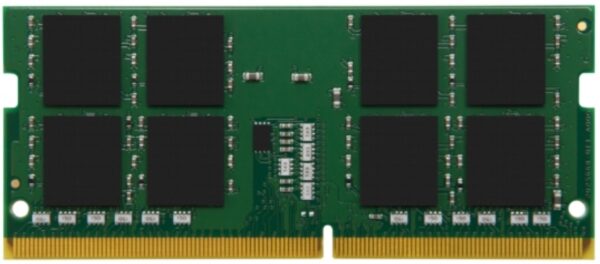
The 16GB DDR4 2666 MHz SODIMM Memory Module from Crucial upgrades the memory in your laptop or compact desktop system. This unbuffered SODIMM provides 16GB of memory for a system that has an available 260-pin slot. For performance, it runs at a speed of 2666 MHz and has a CAS latency of 19. Furthermore, this DDR4 memory chip can operate at 1.2V.
- 16GB Storage Capacity
- 2666 MHz Clock Speed
- PC4-21300
- 260-Pin SO-DIMM
- 1.2V
- CAS Latency: CL19
- Unbuffered, Non-ECC


Make everything on your computer faster

Multitask with ease

Easy to install

Maximize the value of your system

Make everything on your computer faster
The amount of memory in your system plays a critical role in the speed of loading apps, browsing the internet, and editing a spreadsheet. Add more memory for faster performance.

Multitask with ease
Every app you’re running requires memory and competes for a limited pool of resources. Overcome this by installing high-density modules in each memory slot for seamless multitasking.

Install with ease – no computer skills required
With just a screwdriver, your owner’s manual, and a few minutes of time, you can install memory – no computer skills necessary.

Maximize the value of your system
At a fraction of the cost of a new system, a memory upgrade is one of the most affordable ways to increase performance. Get more out of your notebook by giving it the resources it needs to perform.