- +971 56 918 6895
- sales@globaltechuae.com
- Salah Al Din Road, Deira, Dubai-UAE


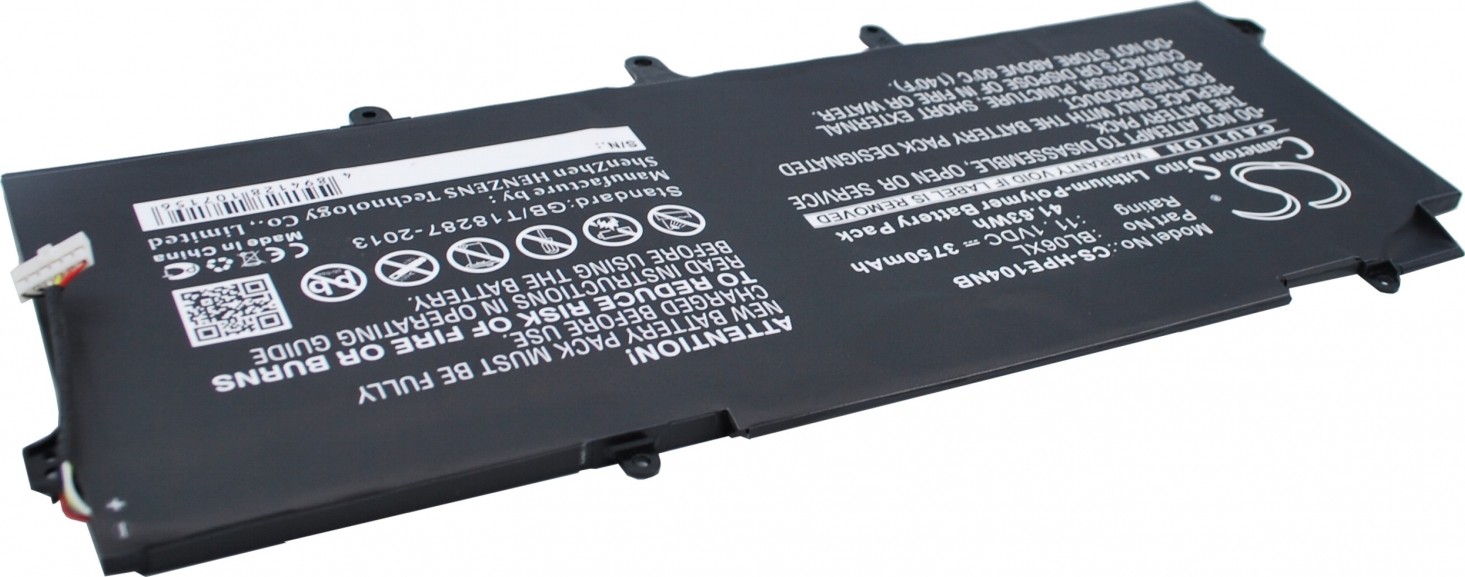
Replacement Battery For The Hp EliteBook Folio 1040 G1, 11.1V | F0G82AV
د.إ 147.00
| Brand | Generic |
|---|---|
| Model | F0G82AV |
19
People watching this product now!
Description
Replacement Battery For The Hp EliteBook Folio 1040 G1, 14.4V | F0G82AV

Note : 1. 14.4V and 14.8V are compatible, they are in common use.
2. 10.8V and 11.1V are compatible, they are in common use.
3. 7.2V and 7.4V are compatible, they are in common use.
This Hp EliteBook Folio 1040 G1(F0G82AV) Battery is made from high grade cells and highest quality parts. This Replacement Battery is 100 percent comparable to original battery in all terms including its size, appearance and most important quality. Each Battery has to pass strict quality control procedures including filtration and safety testing of voltage, capacity and battery core (body). Each battery also passes necessary authentication certifications like ce, rohs etc. Before leaving the factory, so you can be rest assured for its quality, durability and performance. Please note that all images are indicative, actual product label may vary. Battery part no./Model may not be printed on label. In case of doubt, the request can be raised at the company’s customer support.
Try these tips to extend your battery life:
- LCD Screen and other unnecessary accessories will cut down battery life,So Turn them off when not in use.
- For the typical user, noticeable reduction of Battery in run time generally will be observed after 18 to 24 months. For a power user, reduction in run time generally may be experienced prior to 18 months.
- Laptop Batteries Can’t be overcharged, the battery is designed to stop using the charger when it reaches full charge.
- Choose the Right Power Setting In the Control Panel go to ‘Power Options’. In the ‘Power schemes’ drop down list, be sure to select either the ‘Portable/Laptop’ or ‘Max Battery’ option.
- Wait for the Battery to fully charge. When the battery is charging, you’d better not use the laptop,because it will recharge slower. Be careful not to let your Laptop overheat,which is extremely harmful for your batteries.One common situation that happens is packing a running laptop into a backpack or briefcase. If the laptop fails to go to sleep, then the laptop can get crazy hot in an enclosed space. You can almost smell the loss of battery longevity.
- Check to see if your Hp laptop has the optimum amount of RAM,RAM enables your system to run program instructions using the computer’s memory instead of its hard disk drive (HDD), where it stores data. Refreshing the RAM requires less power than spinning the hard drive, so having the correct amount of RAM means less drain on your laptop battery.
- Playing a video on a laptop’s DVD drive eats battery for power. Video playback from a hard drive, however, is less taxing. So for your next long flight, consider downloading a few movies or TV shows to your hard drive.
Related products




Replacement Dell Inspiron 1501/ 6400/ E1505 / Latitude 131L / Vostro 1000 Laptops
In stock
د.إ 240.00
SKU:
GTC32534
