- +971 56 918 6895
- sales@globaltechuae.com
- Salah Al Din Road, Deira, Dubai-UAE

Top Rated Home Laptop Computers: 2026 Buying Guide


Selecting the right laptop for home use has become increasingly important as more people work remotely, engage in online learning, and rely on personal computers for entertainment and productivity. The market offers an overwhelming variety of options, from budget-friendly Chromebooks to premium ultrabooks, making it crucial to understand what separates truly exceptional machines from mediocre ones. When evaluating top rated home laptop computers, you need to consider multiple factors including processing power, display quality, battery longevity, and overall value for your specific needs.
Understanding Your Computing Requirements
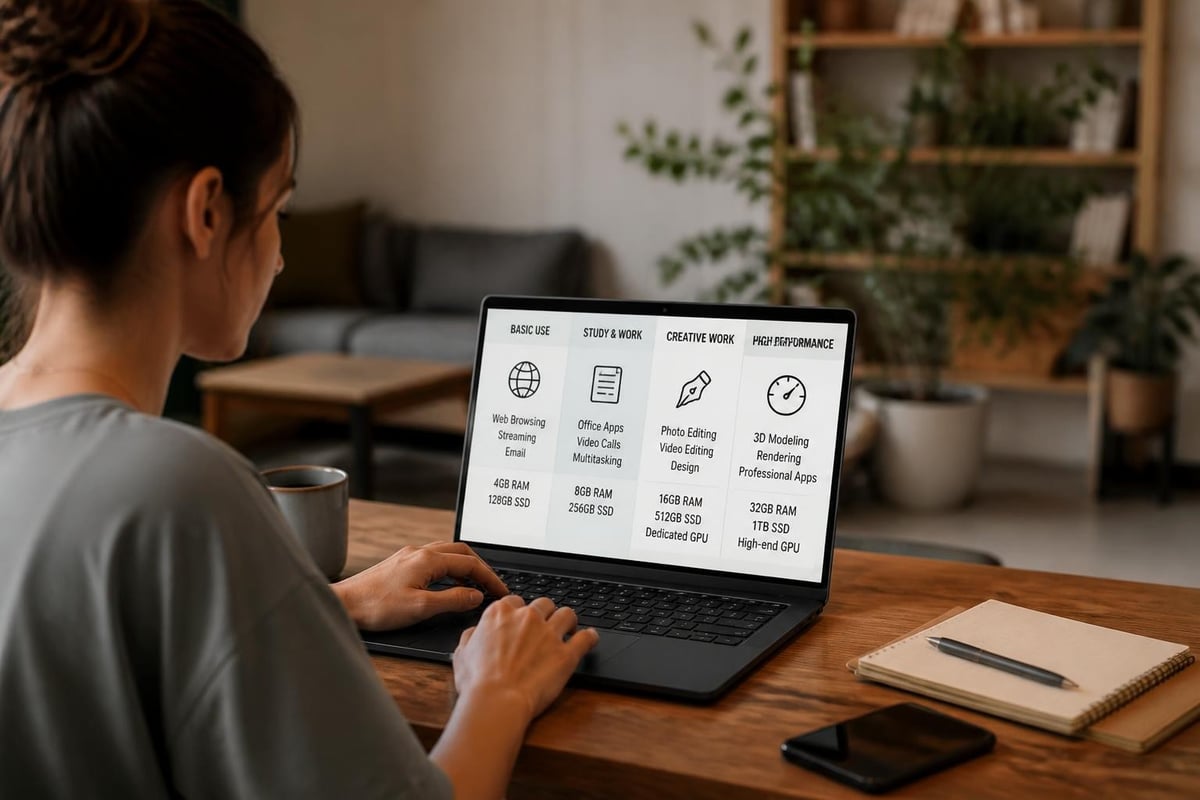
Before diving into specific models and specifications, you must identify how you'll actually use your laptop. Different tasks demand different capabilities, and matching your computing habits to hardware specifications prevents overspending on unnecessary features or underinvesting in critical components.
Daily Tasks and Performance Needs
Basic users who primarily browse the web, stream content, and handle email require significantly less processing power than creative professionals or gamers. Word processing, spreadsheet work, and video conferencing run smoothly on mid-range processors with 8GB RAM, while video editing, 3D rendering, and intensive multitasking demand higher specifications.
Consider these common usage scenarios:
- Casual home use: Web browsing, email, streaming, light productivity
- Work from home: Video conferencing, document creation, data analysis
- Content creation: Photo editing, video production, graphic design
- Educational purposes: Research, writing papers, online learning platforms
- Entertainment: Gaming, media consumption, social media
Professional laptop reviewers emphasize the importance of matching laptop specifications to your specific workflow requirements to ensure optimal performance and value.
Key Specifications for Top Rated Home Laptop Computers
Modern laptops pack sophisticated technology into portable packages, but understanding the core components helps you make informed decisions. The specifications that matter most directly impact daily performance and long-term satisfaction.
Processor Performance
The central processing unit remains the brain of your computer, determining how quickly applications launch and how smoothly multitasking performs. In 2026, Intel's 14th generation Core processors and AMD's Ryzen 7000 series dominate the market, offering excellent performance across various price points.
| Processor Tier | Best For | Typical Models |
|---|---|---|
| Entry-Level | Basic tasks, web browsing | Intel Core i3, AMD Ryzen 3 |
| Mid-Range | Most home users, productivity | Intel Core i5, AMD Ryzen 5 |
| High-Performance | Creative work, gaming | Intel Core i7, AMD Ryzen 7 |
| Professional | Intensive workloads | Intel Core i9, AMD Ryzen 9 |
Memory and Storage Considerations
Random Access Memory (RAM) directly impacts how many programs run simultaneously without slowdowns. Eight gigabytes represents the practical minimum for modern operating systems, while 16GB provides comfortable headroom for most users. Professional applications often benefit from 32GB or more.
Storage technology has evolved dramatically with solid-state drives (SSDs) replacing traditional hard drives. SSDs offer:
- Significantly faster boot times (under 10 seconds)
- Quicker application loading
- Improved overall system responsiveness
- Better durability with no moving parts
- Lower power consumption
Aim for at least 256GB SSD capacity, though 512GB provides more practical long-term storage. Understanding budget considerations and performance requirements helps determine the optimal configuration.
Display Quality and Screen Size
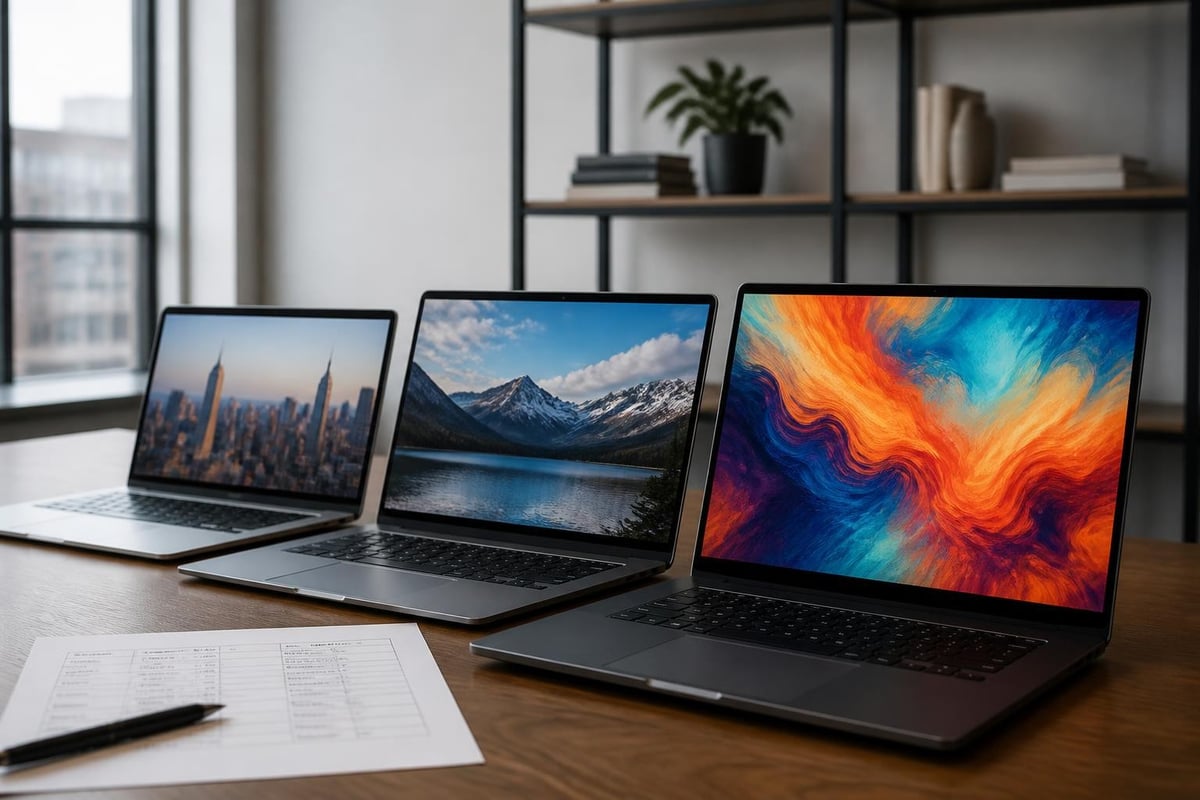
The display represents your primary interaction point with any laptop, making it a critical consideration when evaluating top rated home laptop computers. Screen quality affects everything from productivity to eye strain during extended use.
Resolution and Panel Technology
Full HD (1920×1080) remains the standard for most laptops, offering sharp text and clear images at reasonable prices. Higher resolutions like 2K (2560×1440) or 4K (3840×2160) provide stunning detail but drain battery faster and increase costs.
Panel technology significantly impacts viewing experience:
- IPS (In-Plane Switching): Wide viewing angles, accurate colors, excellent for productivity
- OLED: Superior contrast, deep blacks, vibrant colors, ideal for media consumption
- TN (Twisted Nematic): Lower cost, faster response times, limited viewing angles
Screen size balances portability against workspace, with these common options:
- 13-14 inches: Maximum portability, lighter weight, smaller workspace
- 15-16 inches: Versatile balance, most popular for home use
- 17 inches: Expansive screen, desktop replacement, reduced portability
Brightness and Color Accuracy
Laptop displays should reach at least 300 nits brightness for comfortable indoor use. Higher brightness (400+ nits) proves valuable in bright environments or near windows. Color gamut coverage matters for creative professionals, with 100% sRGB representing the baseline for accurate color reproduction.
Battery Life and Portability Factors
Modern top rated home laptop computers should provide all-day battery performance for typical usage. While manufacturers often cite optimistic battery estimates, real-world performance varies based on display brightness, running applications, and power settings.
Realistic Battery Expectations
Expect these general battery life ranges for 2026 laptops:
| Laptop Category | Average Battery Life | Best Case Scenario |
|---|---|---|
| Ultrabooks | 10-14 hours | Up to 18 hours |
| Standard Laptops | 6-10 hours | Up to 12 hours |
| Gaming Laptops | 3-6 hours | Up to 8 hours |
| Budget Models | 5-8 hours | Up to 10 hours |
Battery capacity measured in watt-hours (Wh) provides a more reliable metric than manufacturer estimates. Laptops with 50Wh or greater typically deliver satisfactory longevity, while 70Wh+ batteries excel for mobile professionals.
Weight and Build Quality
Portability extends beyond battery life to physical dimensions and construction materials. Aluminum chassis laptops offer premium durability while maintaining reasonable weight, typically ranging from 2.5 to 4 pounds for 14-15 inch models. Plastic construction reduces costs but may feel less substantial.
Operating System Selection
The operating system fundamentally shapes your computing experience, determining available software, user interface design, and ecosystem integration. Top rated home laptop computers run on three primary platforms in 2026.
Windows 11 dominates the market with broad software compatibility and familiar interface elements. This platform suits users who require specific Windows applications, prefer extensive customization options, or need robust peripheral support. Microsoft's latest updates emphasize productivity features and improved touch support.
macOS Ventura powers Apple's MacBook lineup, offering seamless integration with iPhones, iPads, and other Apple devices. Creative professionals particularly value macOS for industry-standard applications like Final Cut Pro and Logic Pro. The closed ecosystem ensures optimized performance but limits hardware flexibility.
Chrome OS provides a streamlined, cloud-focused experience on Chromebooks. These affordable devices excel for students, basic users, and anyone primarily working within web browsers. Modern Chromebooks support Android applications, expanding functionality significantly beyond early models.
Connectivity and Port Selection
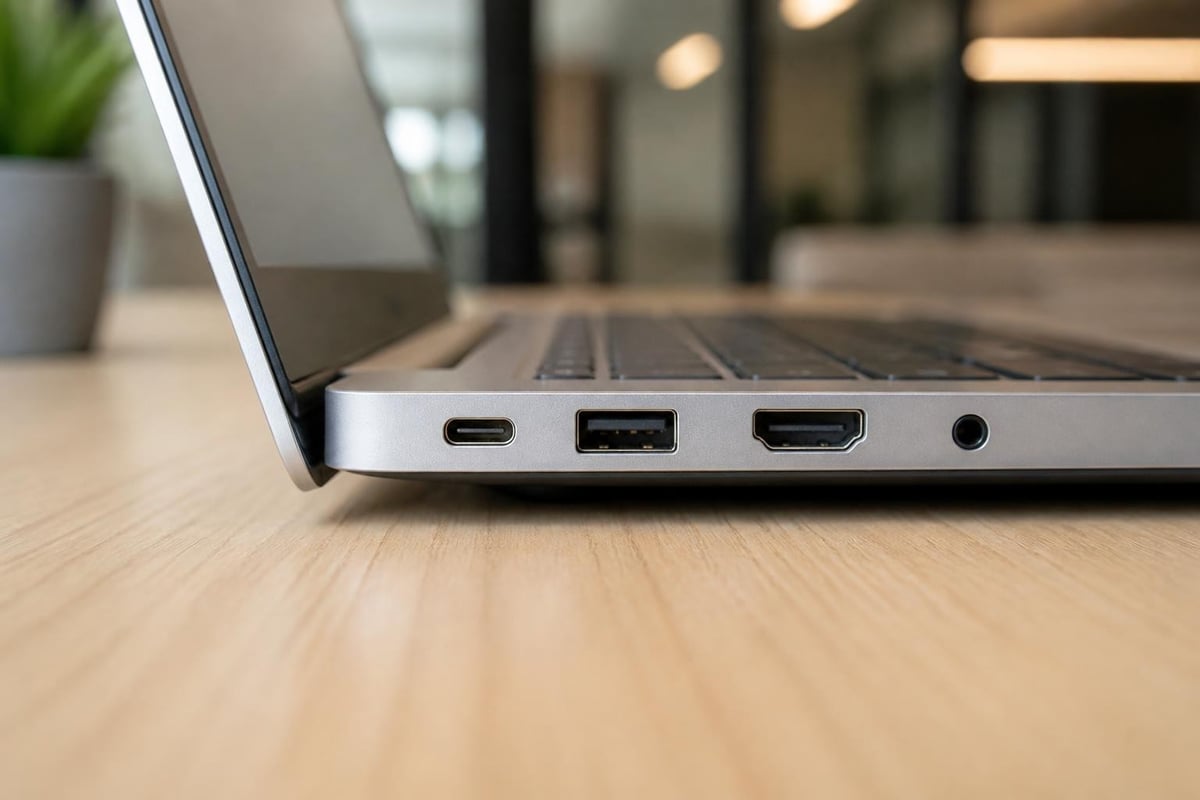
Modern laptops increasingly favor slim profiles, sometimes sacrificing ports in the process. Comprehensive laptop buying guides emphasize checking connectivity options before purchasing.
Essential ports include:
- USB-C/Thunderbolt 4: Universal connectivity, fast data transfer, display output, charging
- USB-A: Legacy device compatibility (external drives, mice, printers)
- HDMI: External monitor connection without adapters
- Headphone jack: Wired audio device support
- SD card reader: Convenient for photographers and content creators
Wireless connectivity has matured with Wi-Fi 6E and upcoming Wi-Fi 7 standards delivering faster speeds and reduced latency. Bluetooth 5.3 provides reliable connections to wireless peripherals with improved energy efficiency.
Budget Ranges and Value Propositions
Top rated home laptop computers span wide price ranges, with clear performance tiers emerging at different budget levels. Understanding what each price bracket offers helps set realistic expectations.
Entry-Level Options ($400-$700)
Budget-conscious shoppers find capable machines in this range, typically featuring:
- Intel Core i3 or AMD Ryzen 3 processors
- 8GB RAM and 256GB SSD storage
- 1080p displays with adequate brightness
- Plastic construction with acceptable build quality
- 6-8 hour battery life
These laptops handle everyday tasks efficiently but may struggle with demanding applications or extensive multitasking.
Mid-Range Excellence ($700-$1,200)
This sweet spot delivers the best value for most users, offering:
- Current-generation Core i5 or Ryzen 5 processors
- 16GB RAM standard, expandable on some models
- 512GB SSD storage with upgrade options
- Higher-quality displays (better brightness, color accuracy)
- Premium materials and improved build quality
- 8-10 hour battery life
Professional recommendations from working from home experts frequently highlight mid-range models for their balanced capabilities.
Premium Performance ($1,200-$2,500+)
High-end laptops justify their premium pricing through:
- Top-tier processors (Core i7/i9, Ryzen 7/9)
- 16-32GB RAM configurations
- Large SSD capacities (1TB+)
- Exceptional displays (OLED, high refresh rates, color accuracy)
- Premium materials (machined aluminum, carbon fiber)
- Extended battery life (12+ hours)
- Advanced features (fingerprint readers, facial recognition)
Brand Reputation and Reliability
Established manufacturers bring years of engineering expertise and customer support infrastructure to their laptop lines. When evaluating top rated home laptop computers, brand reputation reflects product quality, warranty support, and long-term reliability.
Leading Manufacturers
Dell consistently produces well-rounded laptops across price ranges, with the XPS line earning particular praise for build quality and performance. Their Inspiron series provides solid budget options.
HP offers extensive variety from affordable Pavilion models to premium Spectre ultrabooks. Their business-focused EliteBook line demonstrates exceptional durability.
Lenovo excels in keyboard quality and practical design, with ThinkPad models representing business-class reliability. Yoga convertibles deliver versatility for users wanting tablet functionality.
Apple maintains premium positioning with MacBook Air and Pro models featuring class-leading battery life, display quality, and ecosystem integration through proprietary M-series chips.
ASUS and Acer compete aggressively on value, offering feature-rich laptops at competitive prices. Both brands innovate rapidly while maintaining broad product portfolios.
Warranty Coverage and Support Services
Manufacturer warranties typically cover one year of parts and labor for hardware defects. Extended warranty options provide additional coverage but require careful cost-benefit analysis. Consider:
- Standard warranty terms and what they cover
- Availability of on-site service versus depot repair
- Extended warranty pricing and value
- Accidental damage protection options
- Customer service reputation and support quality
Future-Proofing Your Investment
Technology evolves rapidly, but smart purchasing decisions extend laptop usefulness for 4-6 years or more. Prioritizing certain features enhances longevity and adaptability.
Upgradeability Considerations
While many modern laptops integrate components directly onto motherboards, some models still allow user-accessible upgrades. Expandable RAM slots and replaceable storage drives provide upgrade paths as needs grow. Check manufacturer specifications before purchasing to understand upgrade limitations.
Software Support Lifecycle
Operating systems receive security updates for limited timeframes. Windows laptops generally receive support for 10+ years, macOS updates typically span 7 years for MacBook models, and Chromebooks receive 8-10 years of automatic updates. Factor these timelines into your purchasing decision.
Making Your Final Decision
After researching specifications, comparing models, and reading reviews, trust comprehensive testing from reliable consumer resources to validate your choices. Create a shortlist of 3-5 models meeting your requirements, then compare them directly.
Hands-On Evaluation
Whenever possible, physically examine laptops before purchasing. Test the keyboard for comfortable typing, assess trackpad responsiveness, check display quality from various angles, and evaluate overall build quality. Online reviews complement but cannot replace hands-on experience.
Timing Your Purchase
Laptop prices fluctuate throughout the year, with significant discounts common during:
- Back-to-school seasons (July-September)
- Black Friday and Cyber Monday (November)
- New Year sales (January)
- Spring refresh periods (March-April)
However, waiting indefinitely for better deals may prove counterproductive. When current models meet your needs at acceptable prices, purchasing immediately provides immediate value.
Professional and Creative Workstation Requirements
Users with specialized needs should consider dedicated workstation laptops designed for demanding professional applications. These machines feature:
- Workstation-class graphics cards (NVIDIA RTX A-series, AMD Radeon Pro)
- ECC memory for data integrity
- ISV certifications for professional software
- Enhanced cooling systems for sustained performance
- Premium color-accurate displays
While significantly more expensive than consumer models, workstation laptops deliver reliability and performance crucial for professional workflows.
Finding the perfect laptop requires balancing performance needs, budget constraints, and personal preferences across dozens of specifications and features. Whether you need a basic machine for web browsing or a powerful workstation for creative projects, understanding these fundamental considerations ensures you invest wisely in top rated home laptop computers that serve you well for years. Global Tronix Computer Trading LLC provides comprehensive IT solutions throughout Africa and the UAE, offering expert guidance and extensive laptop selections to match your specific requirements with the ideal computing solution.
